Showing posts with label web design. Show all posts

Monday, 29 November 2021

Best 7 eCommerce Website Design Examples in 2021

Best 7 eCommerce Website Design Examples in 2021

What you do need is some inspiration and basic understanding of what good website design is all about. Virtually anyone with some technical skill can design a website these days.

Thanks to the different e-commerce platforms that are available, you no longer need to be versed in things like HTML and CSS. To help you with the inspiration part, we have created a list of 7 best eCommerce website designs.


1. Crossrope

According to the team at Crossrope, they are trying to sell more than simply jump ropes. Instead, they want to introduce their target audience to a unique experience that will help them to achieve their fitness goals.

Crossrope’s aim is to introduce the masses to a fun fitness experience. That is why the use of video on their homepage works so well. Not only do users find videos more engaging, but this medium allows them to show visitors first hand how their product works.

2. Chubbies

Chubbies is also not afraid to embrace color. If your products are so colorful like the shorts they are selling, it would be silly not to show your true colors. On their homepage, they list all the things that they believe in like weekends, “that ‘short shorts’ is a redundancy” and, ultimately, their product.

It also uses clever, witty copy. All in all, it is a great example of how copy and visuals can communicate the values of a brand.

3. Bon Bon Bon

Based in Detroit, Bon Bon Bon sells artisanal chocolates. They are not shy when it comes to the use of color and their bravery pays off. From the home page to the cart page, it is fun to interact with their site. Their website design effectively communicates their creativity and successfully captures the spirit of the company.

4. Bliss

The website of Bliss is powered by BigCommerce and was one of the platform’s Best Overall Design finalists in 2020. Now, just imagine what you will feel like after you have actually used one of their skincare products. The use of bright colors creates a fun energy. Just by interacting with their site, you will feel cheerful and energized.

5. Azteca Soccer

Azteca Soccer’s design is a bit unconventional. One way that they have achieved this is by using lifestyle shots as opposed to just product images. Instead of going for an online store feel, they decided to offer their visitors a more boutique experience.

See also: ecommerce business meaning, management methods

6. Allbirds

Allbirds is an apparel store that is all about sustainability and being eco-conscious. What makes their website design noteworthy is the copy, call-to-action prompts and product photography. They realize that consumers do not just want to take their word for it and also remembered to include their Certified B Corporation badge to build trust.

They include high-quality photos of their apparel in action, while the copy, “Break a sweat, not the planet” and “running shoes made with natural materials” focuses on what sets them apart from other apparel. The call to actions work because of their simplicity which makes shopping easy.

7. Alice + Whittles

Alice + Whittles sells timeless, high-quality footwear. So, it makes sense for them to rely a lot on product photography. This helps to instill trust among visitors who might still be apprehensive about shopping online. With the help of clean design, their site communicates the value and quality their products can deliver.

Yet, what sets their website apart is that they do not fall into the trap of cluttering their site with endless photos. They also emphasize how easy it is to shop with them by highlighting their free shipping, free returns policy and interest-free installment plan.

Monday, 18 October 2021

Top 5 Frameworks & Tools To Build Progressive Web Apps

Top 5 Frameworks & Tools To Build Progressive Web Apps

Since the invention of smartphones and the rise in popularity of websites, combining the two to create a fantastic user experience has been difficult for the developer community.

PWAs, unlike native apps, have a faster loading time, can be used offline, and can be found by search engines. They’re why companies like Alibaba, Trivago, and Twitter have a smooth mobile browsing experience.

Progressive Web App

PWA is the product of a unique cross-platform software development approach that uses the mobile browser to deliver web pages installed on your tablet.


It’s a cross between a native app and a mobile website that offers an app-like user interface using standard web technologies like CSS, HTML, and JavaScript. PWAs’ rising popularity has resulted in many frameworks for companies to choose from while developing PWAs.

1. Svelte

Svelte is a modern component-based architecture, similar to Vue. Despite being written in a radically different manner, it is marketed as a “reactive system.” The MIT license is used to sell it. Its most recent version was released in 2019, and The New York Times and GoDaddy were quick to embrace it.

Pros:
  • The PWA kit, which covers critical server staff and boilerplates for meta-data social sharing, is included in the Svelte starter prototype.
  • Since it supports plain CSS and various CSS Progressive Web App frameworks, the framework is flexible and basic.
  • Svelte offers quicker page loading, a smaller package size, and leaner syntactic analysis and execution.

Cons:
  • It doesn’t support TypeScript.
  • Since the documentation has not yet been adequately produced.
  • Since the architecture is so fresh, community support is almost non-existent.
See also: ux design company

2. Ionic

Ionic is an open-source SDK that uses the Angular and Apache Cordova Progressive Web App frameworks to build apps. It was created in 2013 and has since been used to create over five million hybrid applications.

Ionic’s extensive library of components for iOS and Android makes it an excellent choice for PWA development. This can be used to create WebView-enabled web pages that run within the device browser.

Pros:
  • Ionic has an extensive library of plugins that allow you to access APIs without having to code.
  • Debugging software and built-in browser instruments make it simple to maintain.
  • Anyone familiar with Angular and web technology can use Ionic.
  • You don’t need to buy Ionic because it’s open-source.

Cons:
  • Regular updates necessitate reworking existing PWAs to reflect the changes. Over time, this can become inconvenient.

3. VueJS

Vue is a free and open-source JavaScript front-end platform distributed under the MIT license. For instance, features like routing, high-speed rendering, and simple coding will help you speed up the development process. It’s simple to start with Vue, which the group primarily powers.

Pros:
  • The developer group praises it for its simple and accurate documentation.
  • Vue JS, like React, allows for the use of external packages to scale the software platform.
  • Vue allows for quick product delivery, which is ideal for MVPs and smaller solutions.
  • It can handle both complex and dynamic applications.

Cons:
  • When using Progressive Web App technologies, the benefit of simplicity causes problems.
  • Even though the code is fresh and simple to understand, few Vue developers are on the market.
  • Since no large corporation owns the Progressive Web App development platform, its support staff is small.

4. AngularJS

The Progressive Web App development system helps you build a PWA using a JSON setup, so you don’t have to start from scratch.

AngularJS, which Google created in 2010, is a framework for creating stable and dependable Progressive Web Apps (PWAs) that use the JavaScript ecosystem. Angular 8 has two new CLI commands that make it easier to install a web app on a mobile device, unlike previous versions that needed a high level of knowledge to use.

Pros:
  • The framework’s learning curve is short due to CLI’s contribution.
  • Google maintains code, ensuring smooth operations and support.
  • The availability of a specified approach makes implementation simple.

Cons:
  • To use the Progressive Web App development platform, you’ll need to know Typescript.
  • AngularJS is tangibly more complex than other Progressive Web App frameworks, even though the learning curve has been reduced.

5. ReactJS

Because of its extensive JavaScript library, React, released by Facebook in 2013, is a standard option among developers. The Progressive Web App platform can build single-page and multi-page apps with content that loads and changes within a single page. It provides a React PWA solution by using JSX to render functions for connecting HTML structures.

Pros:
  • The Progressive Web App development framework allows for creating API interactions, server-side and static rendered pages, and routing using various JavaScript libraries.
  • Because of Virtual DOM, the rendering process is fast.
  • For native applications, developers may use the same code.
  • PWAs built with React have more flexibility and can be scaled up with additional packages.

Cons:
  • Because of the inclusion of JSX, switching from AngularJS is difficult.
  • Due to the lack of a conventional approach, implementation is complex.
  • Aside from JavaScript, the React PWA solution needs JSX expertise.

Monday, 14 June 2021

3 Best Types of Web Application Architecture

3 Best Types of Web Application Architecture

We can outline 3 main web application architecture types and discuss their advantages and drawbacks. We can evaluate them according to three points of view: software owner, software developer (member of the dedicated team allocated to the project) and end user. Other possible examples basically come down to these three as subtypes.


Let’s outline three main web-based application types according to the roles performed by the server and the client browser.

Type 1. Service-oriented Single-page Web Apps

The term ”Web 2.0” isn’t quite correct here. One of peculiarities of Web 2.0 is the principle of involving users into filling and repeated adjustments of content. This means Web 2.0 isn’t bound to one technology or a set of technologies.

Basically the term ”Web 2.0” means projects and services which are actively developed and improved by users themselves: blogs, wikis, social networks. This approach allows an easily made reverse conversion: publish an existing application on the web.

Responsiveness/Usability:

The volume of data transferred for updates, is minimal. That’s why responsiveness is at the highest level. UI is generated via JavaScript, it’s possible to implement any necessary variants.

Linkability:

One will need special tools and mechanisms, as well as frameworks which can use, for example, Hash-Bang mechanism.

SEO:

If it’s needed for a part of the application, a special mechanism will be needed for that purpose. The hardest one to promote. If the entire app is promoted directly, there’s no problem: it’s possible to promote the application container.

Speed of development:

Since the architecture is relatively new, there aren’t many specialists who are able to create a high-quality site/system based on this approach. It’s required to develop a web service and apply more specialized JavaScript frameworks which build the app architecture.

Performance:

This criterion is the least influenced on by the server side. On the client side, performance and browser type are of the biggest importance. The server only has to give the JavaScript application to the browser.

Scalability:

When there’s an increase in the number of users, it’s required to scale only the web services that give the business data. The web logic is on the client side. There is no content generation on the server.

Security:

For protected systems it’s required to develop a preventive architecture, which considers the peculiarities of open-source applications. The logic is shifted to the client JavaScript, which can be relatively easily modified by an intruder.

Type 2. JS generation widgets (AJAX)

A particular widget is in charge of a part of the page; partial changes will not affect the whole page. The foremost advantage is that updates from the server arrive only for the part of the page requested by the client. It’s also good that widgets are separated functionally.

Linkability:

Here special tools and mechanisms are needed. As a rule, Hash-Bang mechanism is applied.

Responsiveness/Usability:

The content, which is fully generated and cached on the server, can be instantly displayed on the client; here time is spent on getting the data for the widget and, as a rule, on templating. The volume of transferred data for a part of a page is smaller than for the whole page, that’s why responsiveness is higher. But since a page is a set of widgets, the applicable UI templates in a web application are limited by the chosen UI framework.

SEO:

There are special mechanisms for these tasks. For example, for promotion of websites based on this architecture it’s possible to predefine the list of promoted pages and make static URLs for them, without parameters and modifiers.

Performance:

The time and resources spent on generation of HTML content are relatively minor if compared to the time spent by the app on retrieving data from the databases, and on their processing before templating.

Scalability:

Same as for the first type of architecture.

Security:

Part of the logic is shifted to the client JavaScript which can be modified by an intruder.

Type 3. Server-side HTML Web Application

The most widespread web application architecture. The server generates HTML content and sends it to the client as a full-fledged HTML-page. Sometimes this architecture is called ”Web 1.0”, since it was the first to appear and currently dominates the sphere of web development.

Responsiveness/Usability:

Due to the limitations of mobile internet and huge amounts of transferred data, this architecture is hardly applicable in the mobile segment. The least optimal value among these architecture examples. A huge amount of data is transferred between the server and the client.

UI templates on the client depend directly on the frameworks applied on the server. The user has to wait until the whole page reloads, responding to trivial actions, for example, when only a part of the page needs to be reloaded.

Linkability:

The highest of the three, since it’s the easiest implementable. It’s due to the fact that by default one URL receives particular HTML-content on the server.

SEO:

Rather easily implemented, similarly to the previous criterion. The content is known beforehand.

Performance:

Therefore it’s necessary to generate data for the whole page (not only for the changed business data), and all the accompanying information (such as design). Tightly bound to responsiveness and scalability. Performance is relatively low because a big amount of data must be transferred, containing HTML, design, and business data.

Scalability:

There’s a much more complicated situation with scaling databases, but this task is the same for these three examples of software architecture. If we take a look at the generation of HTML, under the increasing load comes the moment when load balance will be needed.

Security:

All the security functionality is on the server side. The application behavior logic is on the server side. However, data are transferred overtly, so a protected channel may be needed (which is basically a story of any architecture that concerns the server).

Conclusion

Web Applications Architecture concerns the design and implementation of computer software that runs on web servers, instead of running solely on desktop computers, laptops or mobile devices.

Thursday, 11 March 2021

  Top 5 UI/UX Design companies in the World

Top 5 UI/UX Design companies in the World

At first, there is a list of the top 5 ux /ui design companies with a brief description of each. I have also made a comparison of the best UX agencies according to the following criteria.

Should you need more insights on what a typical UX agency can do for you and how to choose the best UX company among hundreds of options, I share a brief and informative summary of everything you should know before you hire a UX agency at the end of this article.


Top 5 UI/UX design companies in the world

This is a list top 5 ux/ui design companies in the world in 2021

1, Digital Telepathy

Telepathy’s most famous clients include Adobe, Patagonia, and Marriott. They work together on fixed projects or through design subscriptions. And, acclaimed for the sleek design of their website, Telepathy also runs a blog that attracts 300,000 readers a month.

Acclaimed for the sleek design of their website, Telepathy also runs a blog that attracts 300,000 readers a month. the team has also incubated many products and have built Hello Bar.

2, Fantasy Interactive

David Martin founded Fantasy in 1999 but no longer serves as CEO. The company gained fame for the beautiful UI design they always present. Furthermore, these early videos showcased their high-end visual design skills and contained animated UI designs, rather common back then.

Fantasy currently employs about 50 people, down from a few years ago when they enjoyed even greater popularity.

3, Frog

One of the old players in the design world, Frog turned 50 last year. And, originally more of an industrial design and branding firm, they turned to the digital world and became better there as well as technology evolved.

Frog does everything, from designing furniture and hardware to branding and mobile apps. Frog also got on the innovation bandwagon. Now you can read the terms “digital transformation” and “strategy” on many pages of their website.

Frog would earn that title. They currently operate from 10 offices around the world. And, still strong in industrial design today, Frog shines best with projects where digital interfaces, hardware, and branding all get involved together.

4, UX studio

UX studio is rated as one of the top 5 ui design companies worldwide according to Clutch and other independent ranking firms.

I might be biased writing about my own agency. However, in my humble opinion, we are still one of the fastest-growing among the top UX agencies. Besides, we have recently become a member of the exclusive Zeplin agencies community.

5, Ideo

A legendary innovation firm based in Palo Alto, California, Ideo started in industrial design in 1991. Later, as software became more and more important, Ideo turned to interaction design. Founder David Kelley realized early that they had to convince their client companies’ managers to follow their design methods.

Most famous for their innovative work and the love of prototypes, Ideo provides diverse teams with designers, engineers, and researchers to a project. And, they work on innovation projects for big enterprises that want to bring back the start-up spirit.

Monday, 1 February 2021

Best 5 Website Builder Services of 2021

Best 5 Website Builder Services of 2021

With the top website builder services you can just choose a template, drag and drop in your own content, and you'll be ready to go. If you want to create your own site, then you'll need one of the best website builders, especially if you don't have any experience with coding or web development. Well, we've done the research, so you don't have to. Below, you'll find the eight best platforms for building a website today, along with details of what each one offers and how much they charge.

However, if you have absolutely no cash at all, then scroll to the end, where we've found you the three best free website builders. There are a lot of companies competing for your business in this tightly contested space. All this competition keeps prices generally low, and levels of customer service generally high.


1. Wix

There are more than 500 of these, but they're neatly divided into categories and subdivided into design or industry type, so it’s easy to find the right one for you. And for that reason, we think it's the best website builder on the market right now.

Wix's drag and drop interface is very easy to use, even for someone who's in no way technically minded. Creating your first website can be a pretty intimidating task. All you need to do is select one of the templates, add your own content, and you're done.

In short, whether you just want to experiment with launching a website, have clearly defined professional plans, or are somewhere in between, Wix is a flexible web builder platform that can adapt to suit your needs.

2. Hostgator

This includes a drag-and-drop editor, much like Wix’s, and 150 templates to choose from. It's a hosting provider, but also offers very good web builder service, which it calls Gator.

For example, if you’re building a blog, you won’t be able to schedule posts or allow visitors to add comments. The system is very easy to use, although the features are a little more limited than some of the other web builders on our list. That said, if you don't want to spend a lot of time building out your site, and are in hurry to get something live, that limited simplicity might be considered a good thing.

3. Squarespace

None of Squarespace's templates are set in stone, either; in fact they are very customisable. The drag-and-drop web building interface is quite straightforward to use, with useful prompts wherever you hover your mouse.

Designed by professional creatives, for professional creatives, these feature lots of white space, allowing you to showcase your portfolio work elegantly, and quite simply no other website builder can match them. Squarespace is a web builder that’s long been targeted at creative professionals, such as designers, artists and photographers.

4. Jimdo

For instance, depending on your overall internet speed, the interface works very quickly, and the website you create will generally loads quickly on the user’s side too. There are other benefits to this simplicty too.

On the whole, though, this is a great option for nervous beginners who just want to create something simple, and it even has a free plan. On the downside, there’s no live chat or phone support, and unless you’re on the costliest plan, you’ll have to wait up to two days for an email response.

5. Voog

Voog is the result, and it’s an excellent choice if you have a bit of web building knowledge and are seeking a high degree of customisation. The platform was originally created by two heads of a digital agency, who were frustrated by having to build a content management system (CMS) for each separate website they built for clients.

To solve this issue, they set out to create a universal CMS anyone could use to create websites. The blogging editor is particularly powerful and feature-rich, and while there are a limited number of templates available, each one is very well designed.

Wednesday, 27 January 2021

Top Mobile App Design Tools in 2021

Top Mobile App Design Tools in 2021

Mobile app design is a crucial phase during development and a mobile app’s UI can make or break the application.  Furthermore, create mobile app delivering a great user experience should be your number one priority as a mobile app developer as it has a powerful and direct impact on your user engagement, conversion rates, and consequently revenues.


Adobe XD

Adobe XD offers a quick way to design, prototype, and share user interfaces and experiences. It reimagines the way designers create experiences with fast, intuitive tools.

This app help developer allows you to easily switch from Design to Prototype mode in a click, and then drag wires between artboards to turn your wireframes into interactive prototypes in no time. You can also make changes on the fly and see them reflected right away on your phone.

Furthermore, it’s also great for collaborative projects as it allows you to securely share your projects with your team and mobile app developers for fast feedback and easy hand-off to production.

Marvel

This app created with everyone in mind, not just mobile app designers, and as a result, it provides a simple and intuitive mobile app design tool that enables everyone to quickly create top-notch assets and mockups.

Marvel is an all-in-one mobile app design platform. It allows you to turn your idea into a wireframe within minutes from a desktop or even a phone or tablet and, when you’re trying to form your concept into something tangible and translate it to your team, clients, or stakeholders.

Figma

Figma allows you to design and prototype your digital experiences, together, in real-time and in one place; helping you to turn your ideas into products, faster.

Moreover, It allows you to create design systems with linked UI components the whole team can use, reduce the friction of turning visual concepts into code, and gives you the flexibility and controls you need to scale Figma for your team.

Origami Studio

Origami Studio is a free design tool that allows mobile app designers to rapidly build and share interactive interfaces, which was primarily created and is still used to design and build Facebook’s products and mobile apps including Facebook, Messenger, and Instagram.

You can also add Photoshop, Sketch, and Illustrator content to your project and add interactivity, rich media, and motion, and it uses a unique system of patches that are plug-and-play components for quickly adding interaction, animation, and behavior to prototypes.

Framer

Framer is one of the most advanced interactive design tools on the market, and yet intuitively easy all at once. Framer X includes automated grouping, adaptive layouts, and flexible stacks so you can effortlessly arrange elements on your canvas without worrying about even distribution, alignment, or responsiveness.

You can just drag and drop in fully functional components from the Framer X Store, their interactive design marketplace.

Here are the top 5 mobile app design tools in 2021. I hope this post can help you choose a app for your product.

Friday, 25 December 2020

Top 5 Best Software Outsourcing Companies in 2021

Top 5 Best Software Outsourcing Companies in 2021

2020 years will be finish soon, and 2021 will begin so if you have a process about software outsourcing but you don't know a best software outsourcing companies to cooperate for your process. Today, i will show for you top 5 best software companies in 2021.

software-outsourcing

Top 1: Designveloper

Designveloper is the leading software development company in Ho Chi Minh City, Vietnam, founded in early 2013 with a team of professional and enthusiastic Web developers, Mobile developers, UI/UX designers and VOIP experts. Following a systematic approach, we intend to deliver the best and most cost-effective software services to our clients.

Furthermore, their services including: Web development, Mobile application, Design, VOIP. Guarantee, Designveloper is the best Software outsourcing companies in VietNam and US.

Top 2: Clavax

Clavax is leading the development, and strategies for application development, creating solutions to software development and toughest technology problems through mobility, big data analytics, and web. It empowers clients’ business by the efficiency of a team with different imagination, knowledge, and experience in the industry.

Their company provide services such as: Web development, Enterprise content management, Mobility, Enterprise content management, Software development, Big data & analytics, Quality assurance.

Top 3: Cyber Infrastructure Ltd

Cyber Infrastructure Ltd is a leading custom software development company in Central India, USA, and the UK. In its 14 years of business, the company has delivered comprehensive and up-to-date IT solutions and services to over 100 worldwide clients in various fields.

And, The company provide a lot of services for a custormer for their can choose services: Mobile app and web development, Custom software development, BI analytics & RPA, Digital experience solutions, Business process management, ASP. NET & progressive web app, Android app & react-native, AR/VR & blockchain development, Artificial intelligence & IoT solution....

Top 4: Foonkie Monkey

If you like technologies, guarantee you know this company, because, they too famous in software development major. So, Foonkie Monkey is a multiple award-winning mobile app development in Colombia. The company assembles three teams, including technology team, creative team, and a digital marketing team.

Each team and every part of it are considered as real indispensable ingredients to deliver innovative solutions to customers and products which reflect commitment, enthusiasm, creativity, and heart.

Their services services variety such as: Custom software development, Mobile app development, Nearshore/offshore, UI/UX design, IT consulting, Outsourcing.

Finally, 

Top 5: ScienceSoft

The company has completed more than 1,850 projects in manufacturing, healthcare, retail, banking, telecoms, and other domains, applying the principles of Agile development, sustainable architectures, DevOps, test automation and test-driven development.

To accelerate the business growth of their customers, ScienceSoft employs the proven combination of the classic technologies and the latest tech trends such as big data, artificial intelligence, the Internet of Things, computer vision, and blockchain.

Their services include to: Software Consulting, Custom Software Development, Software Development Outsourcing, Software Product Development, SaaS Development.

Thursday, 19 November 2020

Are Web developers in high demand?

Are Web developers in high demand?

Why are web developers in demand? With the proliferation of mobile devices, most consumers and companies have moved online, and web developers build and optimize websites. Most experienced web developers are in a great position in this year’s job market.


It’s a career with a bright future: The Bureau of Labor Statistics estimates web developers will see an increase of 27 percent in employment growth through 2024. They also take app ideas and create actual software. And it probably doesn’t hurt that there aren’t enough of them to go around.

Web developer job description

Here’s a web developer job description:
  1. Write test plans and test results.
  2. Provide technical assistance to web administrators.
  3. Integrate websites with back-end systems, such as databases.
  4. Gather business requirements and develop specifications for web-based applications.
And here’s a broad list of web developer qualifications:

  • Strong communication skills and the ability to work both individually and as part of a team.
  • Bachelor’s degree in computer science or related field, plus several years of web-related experience.
  • In-depth knowledge of internet protocols and applications in addition to a solid understanding of business strategy.
  • Well-versed in a variety of web technologies and tools, such as AJAX, ColdFusion, JavaScript, SOAP, HTML, LAMP and others.

Most companies are looking for developers who have produced software that is already on the market and working effectively. This is an occupation that generally doesn’t require a certification in web development.

A web developer who codes for life

Web developers who are outgoing and able to articulate what they do on a daily basis are highly prized and can command very high salaries. The requirements don’t stop there. A top web developer lives and breathes coding. They’ll often spend 60 hours a week coding at work, and 30 more coding on their own.

Soft skills also play an integral role in the work web developers do. These IT pros need to be able to work well with business users, founders (especially if they're at startups) and customers. In addition, the best web developers contribute to the open source community, and have their own websites and JavaScript libraries. They also might tweet about their most recent frameworks for Ruby or JavaScript.

Thursday, 3 September 2020

5 Key considerations to build the perfect Design system

5 Key considerations to build the perfect Design system

A design system enables a product team to create a product faster – without having to sacrifice any quality – by making the design reusable. And a design system is about building a shared language that empowers teams to collaborate more effectively.


Successful design processes usually depend on there being a tight cross-functional collaboration between all teams involved in the creation of the product. Design systems help large industry players to standardise the design process and make it more predictable. A lot of companies try to take on the initiative of building their own design system.

1. Consider product & company maturity

Creating a design system from scratch is a time-consuming activity and small, fast-moving teams likely don't need a design system because it would slow them down. A three-to-five–person startup that is still trying to find a product-market fit would probably spend a significant amount of time creating a system.

Before you start building a design system, you need a clear understanding of why you need one. Therefore, until a company is in the position of having established a clear direction with its product, investing time in creating a design system risks producing a lot of waste. Many companies introduce design systems to reduce their technical debt and speed up the product development process

2. Create a vision statement

A design system is about people – how they work together to achieve a shared goal. And people want to know the answers to the following questions:
  • Where are we going?
  • What do we want to achieve?
  • Why do we want to achieve that?
By doing that, you'll define a target condition and it will be much easier to create a strategy that will help you to achieve it. A vision statement defines what your team, product or company is attempting to achieve and, more importantly, why. It unites people involved in product development and guides them to a common destination.

3. Establish guiding design principles

Solid design principles are the foundation of any functioning system. They should capture the essence of what good design means for the company and provide practical recommendations for product teams on how to achieve it. Design principles act as standards for the product team and help them to measure their work.

Following such an approach can introduce a lot of chaos in the product design process because every designer will have subjective ideas.

4. Review the technology stack

It's important to do this before building the actual design system because the procedure will help you to understand two things:
  • Maybe you will need to change the process or perhaps you will need to introduce new technology. The reasons for inconsistency and the changes you need to introduce in the design process in order to avoid such problems in the future.
  • How much design debt your organisation has and what are the areas that require more attention.
The product likely has some level of inconsistency in design. Inconsistency is usually caused by the duplication of design elements. Imagine that your company has been building a product for a long time without a system.

5. Establish a core team

That's why the core team of people that actually creates a system usually includes engineers, designers, product managers and stakeholders.

Design is a team sport and creating a design system is no exception. The expertise and creative energy provided by cross-functional collaboration are required to build a design system. When you start building a design system, it's crucial to have a small size for the core team because it will help you to create momentum and build something quickly.
 Best Mobile App Design Tools

Best Mobile App Design Tools


mobile app design tools

Best mobile app design tools will make mobile app designer designs worthwhile for the end user experience. To succeed, you need the right tools.

Do you find design tools? Now, let’s get the tools that can help you create an amazing app design for your mobile app.

1. OmniGraffle

With OmniGraffle, we can use it to build app flow charts. The software is made for Mac users who are sketching designs for IOS apps. OmniGraffle allows us to change the layer artboards, canvas size, set keyboard shortcuts and convert text to images. It’s also automated with Javascript and AppleScript.

2. MindNode

We can use MinNode to build relationship maps. MindNote is one of the best design tools to help us stay organized when our ideas are running wild. Even, the interface and platform are both super simple. It doesn't have any distracting or complex features.The MindNode system allows us to prioritize our most important tasks when we are working on a design. Setting reminders and deadlines on the platform to keep ourselves on a timeline that’s realistic without falling behind schedule.

3. Invision

Invision takes our design to the next level. We can take a static prototype and turn it into a clickable prototype, which we won’t get from every tool out there.

4. Photoshop

This is a classic tool for designers. It’s drastically improved over the years, if you haven’t used it in a long time. Use photoshop if you’re an artist as well as a mobile app designer. You need to have photoshop if you’re a mobile app developer.

5. Zeplin

This is perfect for app aspects. Zeplin is also one of the organisation's tools for designers. UseZeplin as the next step after we’ve completed a design in Photoshop or sketch to complete your specs. It can help save our time and money

Monday, 9 December 2019

5 Awesome technology resources for Web development

5 Awesome technology resources for Web development

The unequivocal power of web development lies in the effective resources used throughout this complex process. From a clothing store to an online writing service offering research papers for sale, web enterprises function thanks to their neat presentation in the form of websites, which, in their turn, are powered by professional solutions of website building.

The more advanced and appropriate the technologies used for the development of web pages are, the higher the odds that web building will be successful and efficient.

As the sophisticated yet captivating art of creating internet pages, web development has served the needs of online businesses as well as users since the emergence of the World Wide Web.


In this regard, let’s take a look at the ultimate selection of trending tech resources for boosting and enhancing your web development process! Today’s technological boom offers digital entrepreneurs and online developers the most innovative and upgraded ways of conducting solid web development.

1. Meteor

The modern functionality of this software permits rapid prototyping and produces cross-platform code. This isomorphic JavaScript framework is written in Node.js, allowing developers to craft real-time web apps for various platforms and not requiring them to write any synchronization code.

2. AWS Lambda

AWS Lambda enables developers to run code without server management or its provision. This program also allows users to code for any app type, wasting as little time and energy as possible. The major aim of this framework is to ease the development of small, on-demand applications that react to events as well as new information. All a programmer needs to do is upload their code and wait for this framework to tend to everything else required for managing the code.

With this smart and “caring” software, developers are freed from any extra actions that other, less advanced programs would require them to perform. A cutting-edge event-driven computing platform powered by Amazon, AWS Lambda runs code as a response to events and administers computing resources that are required by the code.

3. Laravel

Laravel is a competitive community-powered and community-developed framework, supporting both large web apps and small websites and managing millions of transactions on a daily basis.

This program combines a number of handy features such as MVC support, Artisan, object-oriented libraries, database migration, and authorization techniques. PHP development framework is perfect for creating small websites.

4. Django

Django displays vital development features such as ORM, Models, Django admin, and many others. The primary goal this software is after is to facilitate the development of complex websites driven by a database. Among the major highlights of the program, there are reusability, “pluggability” of components, low coupling, less code, and rapid development.

Aside from these impressive qualities, Django boasts a multifaceted interface enabling users that are created through introspection and arranged with the help of admin models. Supported by Python and based on the MVC architecture, this open-source framework offers programmers a rich collection of tools for boosting the development process.

5. WordPress

The all-inclusive and elaborate mechanism WordPress is powered by offers developers multiple effective solutions to building an engaging and customizable website.

The tremendous use of this tech giant worldwide is itself the evidence to its ground-breaking functionality and the convenience in utilization. WordPress is a multifunctional medium for creating a sustainable web platform. Working with minimum set up, the software this content management system is easy and enjoyable to use.

The software contains a wide assortment of unique features and provides users with a seamless experience of developing a killer website.

Sunday, 10 November 2019

Best responsive design for data visualization

Best responsive design for data visualization

Data visualization is crucial for Big Data. Data sets receive data from myriad disparate sources. As the amount of data continues growing exponentially, data scientists need simple ways to detect underlying patterns. Visualizing the data in multiple devices improves collaboration and produces effective work. In addition, users in the receiving end are able to quickly interpret the information.

The screen size makes it difficult to see the entire visualization. Sometimes this causes missing important information. In this article, we will explain the basics of responsive web design and how it can help improve data visualization.

What Is Responsive Web Design?

Consumers nowadays don’t have the patience to deal with a website not optimized for mobile. According to Google’s mobile playbook, 40% of users will turn to a competitor if a website is not responsive.


The main principle behind responsive design is that the content should adapt to the screen dimensions and the navigation style. However, there is a difference between adaptive (mobile-friendly) and responsive design.

A mobile-friendly or adaptive design website will fit all the webpage on the screen. It usually features a different size designed for each device. As a consequence, the user sometimes has to zoom in or squint to find what they are looking for.

Responsive design adjusts the entire design to the target screen, highlighting the most useful parts. It adjusts to the pixel-width of the target screen, maintaining the user experience on every device displayed.


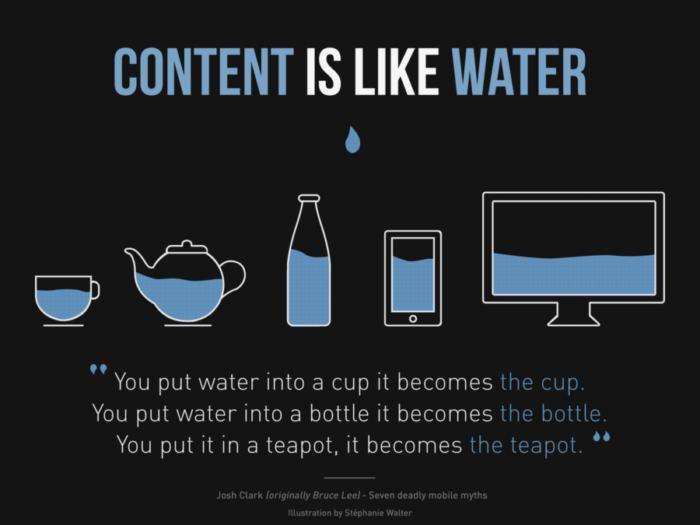
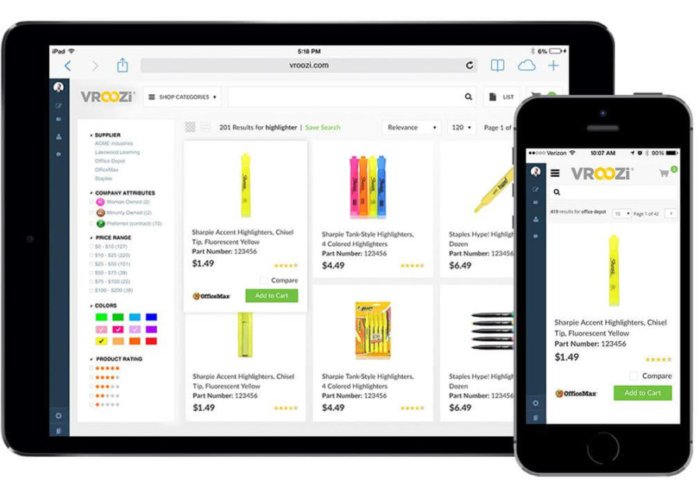
This image shows a critical aspect of responsive web design. The images need to be responsive too. When the website layout adjusts to the new screen, the pictures must also adjust.

Responsive design involves more than resizing. The quality and resolution of the image should adapt too. Designers need to use proper image optimization to ensure the images translate well and load quickly. Fortunately, manually optimizing images is a thing of the past.

Responsive Design and Data Visualization

The responsive design needs to be applied to every image, diagram, or content that needs to be viewed on multiple devices. This is why application developers have adopted responsive design principles. Technologies such as JavaScript allows developers to adapt an app visualization to the size of the target device.

Adapting the visualization to the screen size is only a first step. Adapting the presentation of the data to the device screen is another issue. Users need to be able to quickly understand the information presented.

If you try to display this map on a mobile site without optimization you probably won’t see many of the countries without zooming in. The visualization must be clear to the mobile or tablet user from the first look. Detailed or interactive tools can work better on desktop or laptop versions.

Gone are the days when scientists needed to rely on a static chart of a graph to convey information online. Scalable vector graphics display interactive data visualizations, adapting them to smaller screens such as mobile and tablet devices.
Tools such as D3.js, Bootstrap or Viewbox for Scalable Vector Graphics, can help you create visualization graphics that are clear and understandable for the user. Other techniques such as AJAX help developers create dynamic pages that update in real-time without reloading.

Nowadays, most responsive design involves designing mobile-first. That means designing apps and websites for the limited screen size and bandwidth of mobile users and scaling up from there. An API-first approach helps users organize the raw data using an API to generate an output in the desired format. The user then can build a visual representation with HTML code.

5 Data Visualization Tips for the Web

Here are some tips that can help you improve data visualization models when applying them for web or mobile:
  • Have a specific audience in mind—when designing the visualizations. .Visualizations for beginners should be clear, structured, and engaging. Visualizations for experts can be more detailed, allowing readers to do their own take on the data.
  • Don’t rely exclusively on interactivity for exploration—users don’t like to click on interactivity buttons of mobile websites, according to the NY Times. .You should use interactivity as a way to include additional data for users wanting to more. The main data should be openly on display.
  • Use visual salience to guide the visualization—the term visual salience refers to the quality of an image or item to grab the attention of the viewer. This is especially useful on mobile and tablet versions, as it makes a visual element stand out, focusing the attention on the key data.
  • Use visual hierarchy—you can tell a story by highlighting trends and correlations in a clear visual hierarchy. Incorporating the legends into the chart can guide the user through the data.
  • Design mobile-first—to avoid losing details in the data visualization. You should design first for mobile and tablet users and then scale up for desktop. This will ensure everyone gets to see the correct information, no matter the device they use for viewing.

Wrap Up

Responsive web design is changing the way users interact with websites and web apps. Big data visualizations are becoming more popular as they showcase the most relevant information. This helps users to extract useful information from otherwise huge datasets.

Users can quickly understand the data, regardless of the device. This, in turn, improves the user experience. You can use the tips presented in this article to build effective and clear data visualizations.

Tuesday, 24 September 2019

Why it’s important to compare Web hosting companies?

Why it’s important to compare Web hosting companies?

There are different types of web hosting. And as much as there are varieties in hosting, so exist the different web hosting companies.

Regardless of the seemingly identical options available, there are still a lot of benefits to comparing different types of web hosting companies.

Cost Savings

One of the most significant reasons why you should shop around for web hosting companies before you settle on parking your domain is the issue of costs. There are a lot of companies that offer different types of hosting, such as shared VPS hosting and dedicated hosting experiences. However, each company is going to charge a different price from its perceived competitors.


Some guides will give their best web hosting Australia comparison while others can compare ones based in Europe, and it is useful to dig up information beforehand. Remember that there are numerous hosting providers available around the world.

For example, some come with bare minimums or add in a few freebies, which can either justify a lower or higher price. By being able to compare different hosting providers, you can check out how much the service is actually valued or worth to you.

There are some features that you do not really need, but come bundled in regardless just for the sake of having extras in the package. You should steer clear of these extras. If in doubt, it’s always a good idea to contact your webmaster.

Discounts

There are some discounts that are not available on other web hosting companies and, sometimes, even the most expensive hosting services can be a strong contender depending on what discount they’re giving out.

As a point of reference, everyone should always see if they can save on plans by checking out discounts and deals, and if there are “bulk” plans that they can purchase.
Determine Your Needs

Not all web hosting companies are made equal so ask around if the web hosting company caters to the unique needs that you have. The last thing you would want is for your web hosting company to fail you when you need it the most.

If you’re running a large eCommerce service you’ll need a dedicated server in order to facilitate faster response times for your customers. However, if you have a small store with a relatively medium turnover, you may be able to get away with shared VPS hosting.

The Reputation of the Hosting Service

A factor that some people might overlook is checking for the status of the web hosting company. One way of doing this is by checking out other factors that people have considered when using their services before.

Also, talk to a few friends who are in the same industry as you are and ask about the web hosting companies that you are considering. Sometimes, even a simple web search can yield interesting results.

Find Out About the Real Speed

E-commerce owners can’t afford any slowdown in speed because it affects the user experience of their end-users. By being able to avail of fast hosting services, you can be sure that your pages load quickly and you get a higher chance of converting your visitors into loyal customers.

However, who has the fastest server?
There are many claims out there about which web hosting company has the fastest server, but the only way to find out is to check out what people have been saying on surveys. If you find that you’re choosing between two popular hosting services, there might be surveys available for you.

Two companies may claim to provide their customers with dedicated hosting, but even if they claim to be of the same speed, one will still be faster than the other. It’s important to check out the “real” speeds that real users are reporting.

Customer Service

Nobody likes waiting on the phone for hours. It’s an absolute waste of precious time that you could spend doing something productive. Another pet peeve that everyone probably has is terrible customer service.

It’s essential to compare web-hosting companies because there are stark differences in customer service times and how they assist you. Not everyone can fix what’s wrong with their website, and even developers sometimes have to talk to hosting customer services to perform proper fixes on their website.

There are a few hosting providers that provide slightly better customer service than others, but they do cost more. There are hosting providers that cost less but can’t offer top-of-the-line customer services due to the way they are priced.

Everyone’s going to need customer service at one point, so it’s essential to compare different customer service types and how various companies handle different requests.

Take note of these particular points to check up on:
  • On-site or off-site customer support team
  • Channel of contact for customer support, e.g. phone, email
  • Availability of support staff
  • Real-time assistance
  • Turn-around time for assistance
  • What other people are saying about their customer service experience

Extra Features

Comparing different web hosting platforms allows you to find additional features. For example, knowing how many add-on domains you can have on your hosting could make a difference if you intend to “park” several ones in your hosting server. It will save you on costs, as well as make the process of managing multiple domains easier for you.

Web Hosting User Interface

The user interface of the hosting provider is another important factor you have to consider since you might be using your provider for quite some time. You have to take a look at the ease of use and accessibility of the back-end. You should also factor in the different types of customization and settings that can be utilized.

If there will be multiple people handling the web hosting server or if a complicated interface isn’t something that you’re familiar with, then it’s best to compare web hosting companies until a user-friendly interface is found.

Conclusion

There are a myriad of benefits and different tips to comparing and checking out different web hosting companies, but the most important factor to consider is if the services of a hosting company can match your needs and if their claims are reliable.

Tuesday, 17 September 2019

10 Best CSS Frameworks in 2019

10 Best CSS Frameworks in 2019

Looking for the best CSS framework? This guide is here to help. In this feature, we're going to help you get familiar with some of the most interesting and powerful CSS frameworks available. Some of these are well-known, while others are newer tools that are just starting to pick up steam. Either way, you’ll benefit greatly from getting to know these useful tools.

We'll kick things off with some well-known names. With any of these CSS frameworks, you’ll be fully equipped to build clean, maintainable projects with minimal time investment. However, sometimes you need something a little more specific. For that reason, towards the end of the list, you'll find some libraries and frameworks that have very specific use cases.

1. Bootstrap

Let’s start with the most popular framework in the world. While Bootstrap is certainly not exclusively a CSS framework, its most popular features are the CSS-based ones. These include a powerful grid system, badges, buttons, card components, navbars and much more.

If you’re not familiar with how a framework like Bootstrap works, a few code examples will help, so you can see how easy it is to build maintainable interfaces by editing nothing but HTML.

As mentioned, Bootstrap also boasts a comprehensive collection of UI components. Some of those that have been difficult to style in the past are just plug-and-play with a framework like Bootstrap. These include a breadcrumb navigation component, a card component and a pagination component.

All of these components can be built without writing a single line of CSS. In many cases, you’ll likely theme the components to suit the project’s branding. Whatever the case, the mobile-friendly structure will already be in place, making it incredibly easy to reach a finished product in record time. Bootstrap also includes advanced features for responsive layouts, utility components and it’s built on Sass, so it’s super-flexible and customizable.

2. Foundation

The Foundation framework, like Bootstrap, has become immensely popular and is known as a more sophisticated framework with some advanced but easy-to-implement CSS components. Foundation is built on Sass so, like Bootstrap, it’s customizable. In addition to that, it also boasts some powerful responsive features that mean making mobile-friendly designs is super-easy.

That’s just a small sampling of the many components that make Foundation one of the best CSS frameworks available today.

3. UIkit

UIkit is another popular frontend framework and maybe a little under-appreciated in terms of CSS features. In addition to many features similar to those found in other popular frameworks, there are a few useful specialized components.

First of all, if you’re still not very comfortable with flexbox, you can do complex flexbox-based layouts with UIkit using plain HTML. It might seem strange at first to use flexbox syntax in your HTML classes but this saves you from having to know all the quirks about flex wrapping, columns/rows, flex grow and so forth.

UIkit is worth a try if you want a fresh, well-maintained CSS framework with a slew of component options. It’s available in Less and Sass and even includes a stylesheet to cater for right-to-left languages.

4. Semantic UI

Semantic UI has a lot of features overlaps with other popular frameworks but the way it works (implied by the name) is based on the semantic nature of the class names that are used to build components. In other words, the class names are human-friendly.

Notice the way the class names communicate exactly what’s built. The CSS doesn’t necessarily have a unique set of styles for each of the classes listed but instead, the classes work together. Thus, much like language where words make sense in context, the class names work together to build cohesive, mobile-friendly components.

5. Bulma

Bulma is another popular CSS framework and its primary feature is the fact that its components are largely dependent on flexbox, making it a truly modern framework. You can think of Bulma is being somewhat like a hybrid of Bootstrap and Semantic UI but without any of the complexity.

It uses some of the same principles as Semantic UI with its class names, includes many of the popular components, yet manages to keep things simple – for example, form elements have little to no styles to maintain a cross-browser look.

6. Picnic CSS

If you don’t like the idea of including presentational classes in your markup, which is common in most, if not all, of the popular frameworks, then Picnic CSS might be the framework for you. Picnic is in many ways the opposite of Tailwind in that it’s not only less complex but very opinionated.

In addition to a number of existing default styles on many HTML elements, Picnic has some other nicely designed interactive pure-CSS components that don’t require any JavaScript. These include a modal dialog, a tab switcher, a file uploader and a tooltip. Some of these can be enhanced with scripting but they’re all functional with just CSS.
Master minimalist Website design

Master minimalist Website design

First, let's take a look at minimalism. Is minimalism flat or flat-ish? It can be. Is minimalism white? It can be. Does minimalism mean less clutter? It can do. Minimalism can look like a lot of things but we often forget about what it aims to achieve – why do we actually need it?

Fundamentally, minimalist design advocates clarity mixed with intention; in other words 'no more than what's needed' to shift user focus to the most valuable aspects of the experience, while removing focus on the aspects that may distract users. By that logic, all design should be minimal but only if we're using minimalism correctly. Let's walk through how you can achieve minimalism, step-by-step.


1. Limit choices

Limiting choice is one way to reduce cognitive overload, in turn helping the user make decisions more efficiently. However, for usability's sake, we'll need to include a couple of things:
  • Relevant choices
  • Alternative choices
  • Relevant choices

Deciding what's relevant to users depends on the context. For example, if we were showing a list of new blog articles, deciding on a few to showcase might depend on whether or not the user is logged in. With the former, we could use artificial intelligence to decipher the user's reading tastes. With the latter, we wouldn't be able to tailor content to a specific user but that doesn't mean that we don't have data at our disposal. We can still list results based on traffic data.

However, that's content. When it comes to UI, tracking tools such as Google Analytics help us learn more about our user's behavior speaking of clutter, visual clutter refers to cosmetic styles that only add emotional value – i.e. they look cool but they don't offer much else.

It's so easy to run with the wind when it comes to the surface layer – some call it over-designing. If something just doesn't feel right to you, Coco Chanel once said: “When accessorizing, always take off the last thing you put on”.

But if you really want to take a more sensible data-driven approach, there's a really neat trick I like to use that involves screen sharing. While sharing your screen, acquire a few users and have them decide which styles to toggle on and off. Carry on until the user is satisfied with both the visual appeal and usability.

2. Strip visual clutter

Speaking of clutter, visual clutter refers to cosmetic styles that only add emotional value – i.e. they look cool but they don't offer much else. Now I do love things that look nice (don't all designers?) and emotional design is extremely important, especially in consumer-based industries, but there's a reason why it's called the surface layer – it's applied last.

It's so easy to run with the wind when it comes to the surface layer – some call it over-designing. If something just doesn't feel right to you, Coco Chanel once said: “When accessorizing, always take off the last thing you put on”.

But if you really want to take a more sensible data-driven approach, there's a really neat trick I like to use that involves screen sharing. While sharing your screen, acquire a few users and have them decide which styles to toggle on and off. Carry on until the user is satisfied with both the visual appeal and usability.

3. Optimize visual hierarchy

So we've minimized our upfront offering and optimized it visually in order to reduce cognitive overload but could we take this a step further? Absolutely but we also need to remember that users are lazy – before users read, they scan.

This means where users are briefly scanning our UI and content holistically, even the tiniest visual distraction can draw users away from what's really important, making minimization ever more important when it comes to scannability. But that aside, the elements that are left after minimization should complement each other well. Less is only more if we make it speak volumes.

Content and headings

Since users precap content by scanning its headings, these headings should be extremely informative, not only hinting at what its accompanying paragraphs will elaborate on but be good enough that if users only read the headings, they would still walk away satisfied – this is still true even if it costs us in terms of SEO value. After all, what use is acquisition if we can't offer a decent reading experience once the user has arrived?

Headings should also benefit from a clear typographical hierarchy, aiding users in their effort to understand how individual snippets of content form a body of information.

UI and color

A similar concept applies to UI and color. Colour can not only help with contrasting but also help to infer meaning, so when users come across these tap targets, they automatically understand what it is they do or where it is they will lead to.

Getting the headings and colors right might not have anything to do with minimalism directly but it ensures that the elements we aren't willing to minimize are as effective as they can possibly be. Otherwise, we run the risk of over-designing in order to compensate.

4. Make more mean less

'Put everything on one screen. It's simpler, right?' In theory, this sounds like a top-notch idea but it's not a solution that works in every case. Some designs are more complex than others and, besides, simple for who? You need to be mindful of confusing simpler implementation (making things easier for developers) and simpler UX (making things easier for the users).

Consider breaking down UI-heavy components into smaller user flows. While technically this does result in more, it creates the illusion of less. Typically this means breaking up long forms into logical steps but it could also mean breaking up lengthy articles with images.

Overall, minimalism is a tricky subject. Sometimes we mean it as a visual aesthetic (flat UIs, white backgrounds, etc.), other times we consider it merely a concept or even a lifestyle. In terms of user interface design, the best way to think of it is to consider the impact on the cognitive load that each element has.

When designing to reduce cognitive load, ask yourself these questions for every style, user flow, interaction, and feature:
  • Is it needed?
  • Is it over-shadowing elements that are more important?
  • Is it being overshadowed by elements that are not more important?

It comes down to visual hierarchy – eliminating clutter and using design to indicate importance. Sometimes that means moving things out of sight if it helps the user focus on what's really important.

Monday, 2 September 2019

5 Things about Wix Design Playground

5 Things about Wix Design Playground

Earlier this month, we jetted off to New York to watch the culmination of Wix Design Playground. If you’re not familiar with it, this three-month program sees lucky participants tasked with creating a non-profit site, developing an online marketing campaign, and building their own portfolio.

In other words, it’s a fantastic way for budding designers to expand their design skill set, get familiar with web design tools, and kick-start their careers.


This inspiring demonstration was the result of months of workshops, and sessions taught by industry-leading designers. Seeing the finished sites, and the looks of amazement on the faces of the website owners, was a proud moment for all involved.

01. Participants learn how to tell a story

Mentors helped Trisnadi to refine the photographic assets of the HERoines, inc. site
(Image credit: Wix)

One of the fundamental things to keep in mind when creating a brand is its story. And nowhere is this truer than when it comes to non-profits. A story is a way to put a company’s values front and center, which was one of the biggest realizations for Wix Design Playground 2019 student Valerie Trisnadi.

“It was important not to focus on just the aesthetics of the website, like making it look nice or just cleaner,” explains Trisnadi, who worked with Qiuyu Guo to reimagine Jolaubi Osho’s organization, HERoines, inc. “Portraying the values of the site was something huge. It was fundamental to making sure that its message would get across, and that would lead to getting more members for the organization.”

02. Creators are paired to promote growth

By working with other designers, creators are able to share their skills and learn something new. This is because they are carefully paired so that everyone is in a position to be exposed to new techniques. Take illustrator and designer Kristina Filler, who took part in the 2018 Wix Design Playground to design the ARTE website.

“The Wix team did a really good job of pairing artists together,” she reveals. “I have very strong illustration skills and client relations skills, but I don't have very strong typographic skills. So they paired me with typographers who were really great at developing the structure of the website, and I interspersed some illustrations into it.”

03. Designers are encouraged to play

This mingling of skills and personalities means that the Wix Design Playground lives up to its name. “The whole theme of the program was to encourage play,” adds Filler, who tends to usually work with small teams.

While this allows her to have a hand in all parts of the process, it comes at a cost. “The downside is that you don't have a big budget to mess around and experiment,” she says. “And if you do that, it's kind of on your own time.” With the Design Playground though, she had more opportunities to try out new tools and approaches. “It reminded me of the value of that, and how I need to do more of it.”

04. It reinforces the value of design

One recurring theme at the Design Playground presentation was that non-profits can overlook the importance of good design. However, this program does an amazing job of demonstrating how valuable it is, and why non-profits and other businesses should invest in design.

“A lot of companies undermine the importance of design,” says Trisnadi. “For them, as long as there are a logo and some information, they’re good. They don’t realize how visuals can impact a person and make them reach out or donate. And if there’s no interest, that pro-activism won’t continue. And that’s what design does, and organizations can undermine that.”

05. The course isn't the end

Graduating can be a scary moment, suddenly you find yourself adrift in the ‘real world’. This isn’t the case for the Design Playground attendees though. “It didn’t end when the Playground ended,” says Filler, “I really feel like they are genuinely interested in seeing us grow.”

It’s more than Wix just wanting to create something that reflects well on them, too. Form Filler, the connections that she made at the Design Playground resulted in the sponsorship of her social good and feminist podcast, Women Crush Weekly.

Thursday, 22 August 2019

6 Life lessons for Designers

6 Life lessons for Designers

The path to creative success is unique for all of us, and the following life lessons are by no means a definitive list, with no absolutes (except for the rule that there are no absolutes). But these strategies have proved successful for many experienced designers, and will hopefully provide inspiration and insight to younger talent.

1. Know current trends

This beautiful typography for Modus magazine shows how Sawdust became famous by creating their own unique aesthetic. Now that every other creative in the world is available to you via the phone in your pocket, originality is the most powerful currency.

Sawdust has established a world-wide reputation with their unique typography, and when Computer Arts spoke to co-founder Jonathan Quainton, he was unequivocal about how new talent should make their mark: "Don’t follow trends... find your own source of inspiration. The more obscure the better."

Design legend Milton Glaser – perhaps most famous for his ‘I heart NY’ design – has also encouraged creatives to aim higher than simply following contemporary styles. "I think the best designers have a kind of broader look and don’t change with the prevailing wind," he told us when we interviewed him back in 2010. "If you’re serious about design, you have to be more concerned about durability and ideas that go beyond the moment."

2. Take risks with your career

Radical shifts in career or projects that initially seem too challenging can be terrifying, but the stock cliche – we regret what we didn’t do in life, not what we did – holds pretty true for creatives looking back on their careers.

Despite having single-handedly reinvigorated magazine design through his innovative work at Bloomberg Businessweek, designer Richard Turley abandoned print (and his native UK) at the very peak of his success to take a job in America making TV indents and campaigns for MTV.

His self-proclaimed "clusterfuck of visual content" re-energised him, exposed his talent to an enormous new audience and showed his understanding of the importance to grow and develop as a creative. Designers who stand still stagnate. Forward progression is everything if you are to develop a long-lasting career.

3. Understand your influences

Whatever your chosen area of interest, you need to know and understand it better than anyone else. Radical experiments in typography are unlikely to yield rewards if you don’t know which rules you’re breaking. Colour theory cannot be challenged without a basic comprehension of the common principles. More than ever, we exist and create in a richly connected world. The DNA and heritage of your ascendents need to be absorbed.

Peter Saville did not just stumble on his radical design aesthetic for Factory Records. The deliberately provocative borrowing of high art aesthetics and subtle identity building were triggered by the realisation, when he was due to leave Manchester Polytechnic in 1977, that he didn’t know enough about the history that underpinned graphic design.

4. Deliver a solution, not options

If your work is in any way client-based, there will inevitably come a point where you are required to communicate what you aim to deliver. Whether this is a campaign, illustration or logo, young creatives will be tempted to show a range of options that the client can choose from, a nervous symptom of wanting to ‘show your workings’.

Don’t. Remember that you are being hired to offer a solution, not to engage in debate. Choose a direction and execute it with maximum confidence. Don’t make the mistake of using client meetings to help search for direction. Your indecision will be noted.

The unspoken law of all client-based design is that if offered a choice, your client will pick wrong. Don’t give them the chance. You should have been living a breathing this project know what the best solution is. Sell with confidence and listen with humility.

05. Ignore disciplines

Specialist disciplines are fading fast. When Computer Arts interviewed design icon Mario Hugo, no single title could encompass his diverse range of work (designer, art director and illustrator had to do) and he was dismissive of any notion of specialism in contemporary design. “It feels very limiting to call yourself one thing or another,” he told CA. “Those in the emerging world of design would prefer to broaden their horizons.”

Graphic designer and Pentagram partner Natasha Jen raised some eyebrows at this year’s Design Indaba with her provocatively entitled talk: Design Thinking is Bullshit. But throughout her career of innovative, multi-discipline client work, she has always spoken her mind, championing the polymathic nature of design and encouraging each new designer "to think and operate like a renaissance man".

6. Mentoring talent can be rewarding

Young creatives are often ruthlessly (and rightly) self-focused, but when opportunities arise to develop and nurture younger talent, altruism has its own rewards. To guide a younger talent past pitfalls, help nurture their skills or simply offer practical support is fulfilling in its own right, especially if we see new talent benefit from our mentoring.

As creatives we tend to live in our own heads, following processes that are often intuitive. Dragging our ideas and theories to the surface to share with others often leads to a sharper self-awareness and a better understanding of our own methods. Experience cannot be taught via a YouTube tutorial or faked with youthful exuberance, but it can be shared.