Showing posts with label programming. Show all posts

Monday, 27 December 2021

6 Most Popular Programing Languages for Web Development

6 Most Popular Programing Languages for Web Development

The best way to reach new clients and keep repeat customers is to build your website and maintain it regularly. Communication must always be open, and customers should receive responses to their questions in a timely manner. With that, it is essential to master the top programming languages for web development to see businesses continue to evolve and thrive.

1. C++

C++ is a high-performance language that is object-oriented. C++ is also the programming language chosen for video games and commercial products such as Adobe Photoshop. It is also used for web browsers such as Mozilla Firefox and Google Chrome and can render open-source projects and develop databases.

Furthermore, C++ excels at creating operating systems such as Internet Explorer and Microsoft Office. As a result, they are often used with applications that can direct critical issues and have a secure software infrastructure.

2. Java

Java is often a good first language to grasp, and it has been around for quite some time. Hence, it is a general-purpose programming language that is multi-paradigm. It is both class-based and object-oriented, and can run on any platform.


Some well-known giant tech companies that use Java include Google, Twitter, and Amazon, as well as an extensive number of other applications. Java is multi-threaded and can perform multiple tasks at once. Nonetheless, it remains one of the most influential and important languages to learn when it comes to web development, as it runs on over three billion devices on a global scale.

3. PHP

PHP Personal home pages, or hypertext preprocessor (PHP) is a general-purpose, extendible, scripting language used for web development. It is open-source and free to use and can modify and encrypt data, control user-access, send and receive cookies, and alter server files. Another advantage is it has a high-performance level, with low maintenance costs.

See also: types of startups, google software engineer starting salary

Companies that use PHP include WordPress, Facebook, and Wikipedia. The coding is executed on the server and sent to the client without them knowing of any running scripts. It runs on many platforms, such as Mac OS X and Windows, which is highly compatible with almost every server and is implemented for static and dynamic websites.

4. Python

Python is another language that is easy to understand and is very user-friendly. It is object-oriented and supports several programming paradigms. Due to its enhanced process control functions, it is quick in terms of speed and productivity. It was designed to allow additional interfaces for current applications. Examples of famous companies that use Python include Instagram, Spotify, and Firefox.

It is mostly used for back-end web development, which encompasses the hidden aspects of a website, such as the scripts and data applications. Moreover, it is perfect to use in the academic field, such as when studying image processing and data science.

5. HTML / CSS

HTML/CSS Hypertext markup language (HTML) / Cascading style sheets (CSS) can go hand-in-hand, but also be independent of one another. HTML is the basic backbone and the markup language of a webpage, which has the actual content written out.

CSS is what makes a website stick out by adding color, layouts, and designs. It makes HTML language have a style and flair of its own. The two can be used when making a presentation, and are great for blogs, personal websites, and social media sites. Hence, website developers can present varying styles to different users, all while enhancing search engine optimization with greater accessibility.

6. JavaScript

JavaScript allows for more complex and creative features on a website and mostly caters to front-end web development. This is in tune with the client’s side, in terms of what they see from their computer or mobile device. It is multi-paradigm and event-based, meaning codes are executed when a user hovers over or clicks on an icon.

Examples include interactive displays, graphic designs, and varying modes of multimedia. Major companies that use JavaScript include Netflix, Groupon, Uber, and eBay. This example reinforces how JavaScript is an ideal programming language for people who are directly and regularly interacting with a particular website.

Thursday, 18 March 2021

Top 8 Biotech & Life Science Startups

Top 8 Biotech & Life Science Startups

Startups in the biotech and life science industry frequently drive the numbers. In this post, we share ten of the top. However, let’s back up and review the biotech industry as a whole. In short, biotech uses life forms to help solve problems through technology. 

Biotechnology consists of three main branches: medical, agricultural, and industrial—often referred to as “red, green, and white,” respectively. 

Top 8 Biotech & Life Science Startups


The medical branch and include:

1. Pharmaceuticals:

This biotech subcategory focuses on discovering, developing, and monitoring medication to benefit people’s health. And, pharmaceutical medicine consists of clinical testing and trials, drug research, and safety profiles of specific medications. 

2. Therapeutics:

Therapeutics work toward the treatment of diseases, focusing mainly on the science of healing.  Furthermore, this biotech subcategory deals primarily with how the drugs are used as well as drug administration in terms of disease treatment. 

3. Cerevel Therapeutics

Bain Capital and Pfizer launched Cerevel Therapeutics to develop drugs for central nervous system (CNS) disorders, such as Parkinson’s Disease, Alzheimer’s, and epilepsy.

Besides, Cerevel began a Phase I clinical trial for psychosis and two separate Phase II clinical trials for Parkinson’s and also epilepsy. Its epilepsy trial produced encouraging results involving the drug lorazepam.

4. Century Therapeutics

Century Therapeutics develops iPSC-derived immune effector therapy, or otherwise known as “off-the-shelf” therapy, for cancer treatment. And, this company’s goal is to overcome the limitations of first-generation cell therapy.

 5. Anthos Therapeutics

 Anthos prides itself on developing and commercializing life-preserving therapies. Its primary asset is MAA868, which is an antibody currently in Phase II development. And, helping high-risk cardiovascular patients is the goal of this startup.

6. Cyclerion Therapeutics

The company’s goal is to address a broad range of serious and orphan diseases, such as sickle cell disease and diabetic nephropathy.  Furthermore, also, IW-6463 is in Phase I for serious and orphan CNS disease, and two programs targeting liver and lung diseases are in late-stage discovery programs. 

7. Mirum Pharmaceuticals

Mirum Pharmaceuticals is creativing transformative medicine for rare liver disease, such as Alagille syndrome (ALGS) and progressive familial intrahepatic cholestasis (PFIC). For both diseases mentioned, Mirum reported positive Phase II data in April 2019. In July 2019, it launched a Phase III trial of the PFIC-focused drug.

8. Maze Therapeutics

Third Rock Ventures, ARCH Venture Partners, Google Ventures, Foresite Capital, Casdin Capital, Alexandria Venture Investments. Maze aims to “decode the mysteries of genetic modifiers in a range of severe diseases.” By using advanced algorithms and data science, Maze studies natural human genetic variation.

Wednesday, 17 March 2021

Definition of Lifestyle Business

Definition of Lifestyle Business

A lifestyle business is created and run by its founder to serve the purpose of sustaining a particular level of income, and no more. And, often founded by an individual, lifestyle businesses creates a foundation for enjoying a particular lifestyle, bringing in just enough revenue to meet the owner’s personal needs.

Furthermore, many of these types of businesses are created on the basis of personal interest, so that the owner not only has complete control over his or her work life balance and income, but also enjoys the time spent working. And, today, lifestyle businesses are becoming more popular, as individuals strive to find a better work-life balance.


Definition of Lifestyle Business

What are examples of a lifestyle business?

A lifestyle business is often (but not always) a hobby that has become a source of reliable income. And, it’s possible to create a lifestyle business from any hobby or talent, and once that hobby or talent becomes profitable enough to sustain a particular lifestyle, the founder has created a lifestyle business.

How is a lifestyle business different than a startup?

A lifestyle business requires less investment than a startup, is designed to generate profits from day one, and tends to be less risky – however, they also offer little or no growth opportunity or upside. Furthermore, over time, a successful startup will grow into a larger, significantly more profitable business, and will offer more upside opportunity than a lifestyle business.

And, startups are created with the ultimate intention of creating financial gain for its founders and investors. The investment of time and resources over time by the startup founders ultimately creates enterprise value. Moreover, on the other hand, a lifestyle business rarely is built with the intention of creating enterprise value. Methodologies are not refined or scaled.

Few employees are trained in systematic ways, and growing the business is not a priority. For these, and many other reasons, a lifestyle business has little-to-no value to an outside party and in most cases may not be sold. And, while a lifestyle business defines success as providing the financial means to support the owner’s family while allowing for an ideal work-life balance.

Wednesday, 24 February 2021

What is software platforms? Types of software platforms in 2021

What is software platforms? Types of software platforms in 2021

Software platform is hardware and software architecture that acts as foundation or base upon which other applications, processes, or technologies are developed. And, an application also can serve as software platforms if it’s base for other programs. For instance, the web browsers that we use in our day to day life accept few third-party plugins, and hence browser application becomes platform for interfacing.

In recent times, almost every software enterprise builds some quite ‘platform’. Yet all platforms that are created aren’t same. Facebook, Amazon Web Services, Amazon Marketplace, Google Search, Android, Uber are all platforms.

What-is-software-platforms-?-Types-of-software-platforms-in-2021


Now let us discuss the various types of software platforms. They are :

1. Content Distribution Platforms:

Google AdSense, Propeller Ads, and Millennial Media are samples of Content Distribution Platforms. And, more content available on platform, more attractive platform becomes. User reach and accuracy of content matching are two most important aspects of this platform.

2. Interaction Networks:

Digital interactions can be in form of message, voice call, image, or money transfer. Furthermore, users join platform to interact with other users, and thus first network effect is between users of platform. Users attract users, who attract more users. All interactions on platform are ground to specific accounts.

3. Utility Platforms:

There is no network effect within useful service itself. Users attract businesses, but businesses on platform don’t necessarily attract users. Google Search, Bing, Kayak, Skyscanner are some examples of Utility Platforms. Utility Platforms attract their users by providing useful and also usually free service.

Users attract businesses, but businesses on platform don’t necessarily attract users. We attend Google Search trying to find information, to not see ads.

4. Technology Platforms:

For instance, while OTT’s like Netflix and Amazon Prime run its video streaming services on top of Amazon Web Services platform (AWS), top-level users interact solely with Netflix and Amazon Prime. And, amazon Web Services and Microsoft Azure are some examples of Technology Platforms. Technology Platforms provide building blocks or services that are reused during sizable amount of products.

As a result, Technology Platforms are much easier to launch than multi-sided or peer-to-peer platforms. Technology platforms grow with favorable reception by developers and do not rely on interaction between demand side and supply side.

5. Marketplaces:

Network effect in Marketplaces is between demand-side participants and supply-side participants. Sellers attract buyers with exciting offers, who in turn attract more sellers, and so on. Moreover, Amazon, eBay, Flipkart, Kickstarter, or UpWork are some examples of Marketplaces. These are two-sided platforms connecting supply with demand.

Buyers search for selected product or service but not for selected seller. Products or services are offered by multiple sellers who compete on price, reputation etc.

6. Content Crowdsourcing Platforms:

YouTube, Crackle, Twitch, and Yelp are some examples of Content Crowdsourcing Platforms. And, Network effect is observed between content contributors i.e., creators, and content consumers i.e., viewers of platform.

These types of platforms collect content from users in form of videos, blog posts, reviews, etc, and share this content with wide range of users.

7. On-demand Service Platforms:

On-demand Service Platforms incorporate processes of search, order, payment, fulfillment, and confirmation of service under one roof. Furthermore, Uber, DoorDash, Go-Mart, and Doz are samples of On-demand Service Platforms. These types of platforms offer end-to-end services to be fulfilled by group of independent service providers or contractors.


Thursday, 18 February 2021

How to ways to become a top outsourcing companies in 2021

How to ways to become a top outsourcing companies in 2021

Top outsourcing companies are continuously changing the way they work to better adapt to these advancements, and Outsourcing has been on the rise in the last decade, as businesses across industries make use of the service. With the rapid developments in technology. Furthermore, being able to ride the trends can make all the difference in providing top-notch services and outpacing the competition.

How-to-ways-to-become-a-top-outsourcing-companies-in-2021

Trends in Outsourcing for 2021

outsourcing trends are on the rise, influencing the way providers expand and manage their services. And, Outsourcing has long been a part of the modern business industry.

1. Robotic process automation

Artificial intelligence (AI) in best outsourcing companies and other emerging technologies for automation is steadily increasing. Furthermore, RPA can upgrade help desk software and prompt visitors with solutions based on previous site behaviour and a series of leading questions.

Top outsourcing companies providers who use this disruptive technology have a chance of outpacing competitors. 72% of organisations were considering or had already adopted RPA to improve work accuracy and efficiency.

2. Staff upskilling

As automation takes over menial and repetitive tasks, the focus of staff work will move towards more specialised knowledge. And, upskilling enhances the knowledge and capabilities of outsourcing staff, elevating and expanding the level of service they provide.

3. Knowledge process outsourcing

Knowledge process outsourcing (KPO) is a type of outsourcing that deals with specialised knowledge and problem-solving. Moreover, KPO include financial consultancy, research and development (R&D), data analysis and interpretation, and technical analysis.

Top outsourcing companies looking to expand or fill a gap for highly-skilled professionals may use KPO to fulfil their requirements while keeping costs low.

Deciding to use top it outsourcing companies provider for your business, when done right, can yield excellent results. To ensure a successful experience, below are the best practices in software outsource company to consider.

4. Strengthen management relations

Project leaders and managers can improve their ties through mutual respect, commitment to the agreed-upon terms, and attributing successes to those who deserve it. And, a positive working relationship with your provider can be the catalyst for growth and trust in the long run.

5. Improve conflict management processes

When working with different people, a little conflict is to be expected. It is crucial to effectively resolve any disputes to improve team relations and overall work performance.

Moreover, Ensure that these processes involve a hierarchy of escalation and principled negotiation for better representation and prioritisation.

6. Communicate clearly and regularly

Clear and regular contact will help reduce errors and ensure that deliverables, milestones, and other requirements are satisfied. And, one of the biggest factors in achieving success with outsourcing is communication with your chosen partner.

Despite these exciting changes, the best practices when working with an outsourcing partner remain rooted in the values of transparency, integrity, and communication.

Monday, 1 February 2021

The 5 Best Books to Learn JavaScript

The 5 Best Books to Learn JavaScript

Think about new learning languages. Are you more likely to succeed if you decided to learn English just because you always wanted to learn another language or because you are moving to England for three months for work? Real projects … real "doing" approaches are how people learn.

That's what you should be looking for in a book. Something that is going to help you learn JavaScript without learning JavaScript. I've taught hundreds of students to code, and the following are the five JavaScript books I recommend.

These a list of 5 best books to learn JavaScript:


1. JavaScript and JQuery

You will learn some JavaScript and jQuery from this because it modernizes the way coding is taught … it looks good. Furthermore, nothing is more miserable, intimidating, and discouraging for a new coder than picking up a 1,200-page book that has nothing but typewriter looking text inside it And, The presentation is not just "pretty," it’s also well organized. It layers well and builds up to the next concepts in a logical way. The transition to jQuery is natural and well done.

2. JavaScript

If you get into coding books you will start noticing this color scheme cover. O’Reilly puts out some great stuff (with the occasional miss) and this book is an excellent reference guide for people who are past the basics. Moreover, if you are looking for a tool that will remind you how closures work, prototyping, graphics, etc., this is an excellent resource.

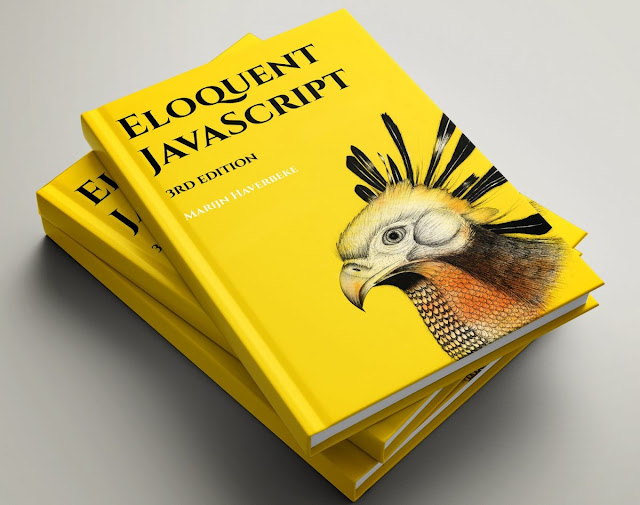
3. Eloquent JavaScript

The book is an introduction to programming and uses JavaScript. It is very good for this reason. It is very common to find a developer who can write JavaScript but knows nothing about computer science. And, this will help create a good computer science foundation (its primary purpose) through learning JavaScript.

Including learn how to program, which will require tenacity and motivation beyond an exclusively project-based approach.

4. Learn JavaScript VISUALLY

This runs in a similar vein to Jon Duckett’s book above. It takes a very visual guide to learning the language. And, it is for absolute beginners and therefore isn’t terribly deep and it's also quite short, recommended for true newbies only.

5. A Smarter Way to Learn JavaScript

This is my favorite JavaScript learning book by far. Why? It is 100% project based. It takes a very, very basic approach, assuming nothing about your knowledge base, but still gets as far as constructor functions.


This makes it very approachable and sets frequent breakpoints if you need to take a rest. If you want to learn JavaScript you can also learn a lot from your classmates, who are working on the same problems you are. And at Designveloper, you'll find the career guidance you need, including resume workshops and job placement support.


Friday, 29 January 2021

Gamification in the Workplace: Stats, Engagement, and Examples

Gamification in the Workplace: Stats, Engagement, and Examples

Elements of gamification have well and truly found their place in our personal lives. The most simple example is that of customers earning (digital) loyalty points unlocking a reward once they’ve reached a certain level.

Gamification at work; how do employees experience it, what’s the relation between gamification motivation and engagement, and what’s the latest gamification trend.

Gamification in the workplace


What is gamification?

Gamification is the application of game elements in a non-game context such as for instance, the workplace. It’s a commonly used marketing technique to boost customer loyalty and increase engagement.

Moreover, Gamification can be used to enhance employee engagement and we see many examples of game elements in for example employee training and e-learning.

Gamification, motivation, and engagement

Granted, the fact that almost a third of the employees feel bored and unproductive during their training isn’t great. And, there is good news too: there is an interesting correlation between gamification in employee training and employee engagement.

Moreover, employees feel much more motivated on the one hand, and a lot less bored and unproductive on the other when they receive gamified training.

How employees experience gamification

In their training and in communication software, according to the 2021 gamification at work report (also see the image below). In other words: two areas that don’t necessarily involve people’s everyday tasks but have more to do with additional projects.

we see the following results:

  • Corporate compliance training (unsurprisingly, if I may add)
  • Training on products and services
  • Technical skills development

As for how people feel during their employee training it turns out that 62% feel motivated while 31% feel bored and unproductive.

Monday, 25 January 2021

5 Things You Never Didn’t Know about Gamification in the Workplace

5 Things You Never Didn’t Know about Gamification in the Workplace

Actually, gamification for business or gamification for business in the workplace, they usually uses game elements to motivate employees to perform their best. Moreover, It prompts them to compete with their goals, and/or team members, as well as past accomplishments. It shows how they’re doing and what’s needed to reach their goals. And, It drives intrinsic motivation, the sense of mastery and control that comes from knowing we’re doing our job well.

And the strength of gamification is help leverages the energy and effort that comes from competition, the friendly, positive type, to change more than employees’ performance. More and more It impacts an organization’s culture to get people thinking, talking, and driving employee performance differently, more effectively.

Here 5 things about gamification in the workplace

Top 1: Objectivity and fairness

Employee management is moving away from largely subjective forms of evaluations toward objective measurements and proactive employee development. This is a new change to you can help your employer will a develop in the future. It presents all information with full transparency. Furthermore, both see what goals are being met and where performance gaps exist. Absolutely, when employees see their evaluation is fair and consistent, discussions about performance become more collaborative, more positive.

KPIs is important, which is a target of work but sometimes this affect a lot to a corporate culture. So the evaluation is consistently objective and fair, employees feel differently about their jobs and roles within the company as well as whether their efforts and performance will be recognized fairly.

Furthermore, Gamification also reflects insights and results to employees, and their managers, that let them make changes in work efforts. For instance, if performance in a certain area is lacking, gamification can be used to engage employees in microlearning to fill knowledge gaps, correct their approach, and improve skills.

Top 2: Real-time performance management

This mean it's a a business-building practice. The problem is most performance management methods involve assessing things retroactively, looking well in the past, often on an annualized basis. Moreover, this approach makes it all about ranking employee performance, a kind of scoreboard of winners and losers. Not surprisingly, employees find communications about performance in this context confrontational and discouraging.

And, Gamification brings this real-time dynamic to your employees’ performance. Feedback is given on-the-spot, by showing performance KPIs, personalized benchmarks, and goals within the gamification application.

Top 3: Transparent measurement

Nowadays, KPIs become a old to measuring, many large and successful companies use Objectives and Key Results (OKRs) to communicate goals and objectives to employees. It goes beyond seeing if the job was done to look at the results attained.

OKRs work well for knowledge workers. Employees who have direct dealings with customers are different. They’re on the frontline. Furthermore, they don’t have goals like “launch a new product.” Instead, they’re required to perform within certain highly-measurable parameters. As frontline employees, their OKRs reflect the quality and quantity of customer interactions. And, as a result, their OKRs are narrower in scope, more oriented toward a specific task or set of tasks.

Top 4: Fosters desired behaviors

They believe in this fallacy and, as a result, manage performance with leaderboards; a kind of management by humiliation. And, competition, especially friendly, well-designed forms, is viewed as a positive motivation method.

Moreover, All it does is celebrate the top performers and does nothing to motivate the team. It keeps score. Over time, it serves to demotivate and disengage lesser performing sellers. With gamification, better sales can be generated by driving the desired behaviors sought from all members of the team, collectively and individually.

Top 5: More than a game

The “game” part of gamification makes use of game mechanics – like calling out to employees to bet on themselves, showing them completion bars and more – to drive engagement and behaviors. Furthermore, gamification creates ways for employees to monitor their progress and act from a place of intrinsic motivation.

When looking to implement gamification for your business, make certain it contains these five elements. And, look also for the ability to blend gamification with microlearning and performance management for a holistic, more effective way to have your employees perform their best.

Monday, 18 January 2021

Computer Programmer Skills: Definition and Examples

Computer Programmer Skills: Definition and Examples

Computer programmer skills need to have a wide range of skills to perform the many responsibilities of the position at the highest level of professionalism. So if you want to become a computer programmer you need to be able to demonstrate both types of skills. This article covers the most important skills for programmers to have and how to present them effectively when seeking employment.

Computer programming skills


Definition of Computer Programmer Skills

Computer programmer skills are methods and processes that provide computers with instructions on what actions to perform. Moreover, Collectively known as “code,” these instructions are written by computer programmers to solve problems or perform specific tasks.

Furthermore, programming generally results in a specific set of actions or the creation of a tangible result, whether it is a software application, a web page or even just an image displayed on a computer screen. Besides, computer programmer skills often combine creativity with technical and analytical elements.

So, what are examples of computer programmer skills?

In the fact, computer programmer skills just including to: hard skill and soft skills. With "hard skill" refer to measurable abilities that are developed over time through practice or study, and "soft skill" are abilities that enable people to fit into a working environment or work effectively with others.

Furthermore, computer programmer skills still have some others skills such as:

  1. Mathematical skills
  2. Problem-solving capability
  3. Communication skills
  4. Writing skills
  5. Inquisitiveness

1. Mathematical skills

To become proficient at programming, you will need to have a thorough understanding of algebra and arithmetic. And, many aspects of programming require an understanding of math beyond the basic level.

2. Problem-solving capability

You will need to have the ability to identify problems and come up with the most efficient ways to solve them via programming.

3. Communication skills

Programmers generally spend most of their time working solo in front of a computer. Especially, when working on large or complex projects. Besides, many situations require you to communicate with other programmers and team members

4. Writing skills

You will also need to communicate your work or processes to other people from time to time. Therefore programmers need to have good written skills.

5. Inquisitiveness

A healthy degree of inquisitiveness will help ensure your consistent growth and development as a programmer. Furthermore, The most effective and successful programmers have a talent for figuring out how something is done and finding ways to do it more efficiently.

Here are all skills to help you become a computer programmer in the future, so I hope this post can help you find have your information.

Monday, 28 December 2020

Top 15 Node IDEs in 2021 for Developing

Top 15 Node IDEs in 2021 for Developing

Node.js is an open-source, runtime environment for developing server-side and network applications in JavaScript. Eclipse, NetBeans, CodeEnvy, Xojo, and Xcode are some examples of modern IDEs. Some IDEs are dedicated to a specific, single programming language while there are a few more that support multiple languages. Its event-driven architecture and non-blocking I/O model make it ideal for building real-time applications that run across distributed devices.

1. Cloud 9

Cloud 9 provides several features, such as key binding editor, built-in image editor, live previewing and a lot more. In addition, Cloud 9 is a free, cloud-based IDE supporting application development with popular technologies, including Node.js, PHP, C++, Meteor and more. It offers a powerful online code editor that lets you write, run and debug your code.

2. IntelliJ IDEA

You can run and debug Node.js apps and see the results right in the IDE. IntelliJ IDEA is a robust IDE for web application development using popular technologies, such as Node.js, Angular.js, JavaScript, HTML5 and more.

Its JavaScript debugger offers conditional breakpoints, expression evaluation, and other features. You need a Node.js plugin to enable the IDE and use features, including syntax highlighting, code assistance, code completion and more.

3. WebStorm

Additionally, you can use the debugger, VCS, terminal and other tools right in the IDE. WebStorm is a popular JavaScript IDE, which is ideal for server-side development with Node.js. The IDE provides intelligent code completion, navigation, automated and safe refactorings, and other features.

4. Komodo IDE

The IDE allows you to run commands, create custom configurations, track changes and use shortcuts. Komodo is a cross-platform IDE supporting major programming languages, including Node.js, Ruby, PHP, JavaScript and more. It also provides syntax/highlighting, code intelligence, language icons, multiple selections, markdown viewer, DOM viewer, graphical debugging and more.

5. Koding

The IDE offers a variety of features, including syntax highlighting, keyboard shortcuts, collapsible panes, workspace, auto indenting, code folding and code preview using built-in browser. Koding is an open-source, cloud-based IDE for developing applications using Node.js, PHP, Ruby and more. Koding offers multi-cursor support to allow making similar edits at once.

6. Eclipse

Eclipse is a popular cloud-based IDE for web development using Java, PHP, C++ and more. You can easily avail the features of Eclipse IDE using the Node.js plugin, which is a nodeclipse.

7. WebMatrix

WebMatrix has built-in Node.js templates for website and web application development that use Express, routing, OAuth, and more. It supports web development using Node.js with features, such as code completion, built-in templates and publishing to the cloud. WebMatrix is a free and cloud-based IDE for the Windows platform.

8. Sublime Text

Sublime Text also offers options for split editing, customizing, project switching and more. Sublime Text uses a custom UI toolkit with a powerful text editor for code, markup, and prose. You can jump to symbols, lines or words using shortcuts and use multiple selection options to rename variables and manipulate files faster.

Friday, 25 December 2020

What is project management methodologies?

What is project management methodologies?

With approximately 8,462 project management methodologies to choose from, how do you know which one is right for you and your team? Find the best approach for your project with our handy guide to popular PM methodologies.

project management methodologies

So, What is project management methodologies?

Basically, it’s a framework that helps you to manage your project in the best way possible. A project management methodology is a set of principles and practices that guide you in organizing your projects to ensure their optimum performance. Project management is so important to organizations and teams, but in order for it to be really effective, you need to make sure you’re correctly mapping your project management methodology to your team type, project, organization, and goals.

How many different project management methodologies?

What works best for one type of team could be an absolute nightmare for another. For example, many software developers started to find that traditional project management methods were hindering — rather than helping — their workflows and negatively affecting their performance and results.

As a result, software teams began to develop a new type of project management methodology, which was designed to address their particular concerns. And on and on, with different project management methodologies being repurposed and adapted for different industries and tweaked to fit specific use cases.

How do you choose the right project management methodology for your process?

Here’s a quick breakdown of some of the key considerations that can help you decide:

Ability to take risks: Is this a huge project with a big impact that needs to be carefully managed in order to deliver Very Serious Results? Or is it a smaller-scale project with a bit more room to play around?

Cost and budget: On a scale of $ to $$$, what sort of budget are you working with? Is there room for that to change if necessary, or is it essential that it stays within these predetermined limits?

Team size: How many people are involved? How many stakeholders? Is your team relatively compact and self-organizing, or more sprawling, with a need for more rigorous delegation?

Timeline: How much time is allotted to deliver on the brief? Do you need a quick turnaround, or is it more important that you have a beautifully finished result, no matter how long it takes?

The project management methodologies list:

1. Agile methodology


The focus began to shift to more iterative models that allowed teams to revise their project as needed during the process instead of having to wait until the end to review and amend. The agile project management methodology came from a growing dissatisfaction with the linear approach of traditional project management methodologies.

2. Scrum methodology

With Scrum, work is split into short cycles known as “sprints”, which usually last about 1-2 weeks. Furthermore, Scrum is a form of agile project management. You can think of it more like a framework than as a project management methodology in itself.

3. Waterfall methodology

The Waterfall method is a traditional approach to project management. In it, tasks and phases are completed in a linear, sequential manner, and each stage of the project must be completed before the next begins.

Also like a real waterfall, though, this can quickly get dangerous. Since everything is mapped out at the beginning, there’s a lot of room for error if expectations don’t match up with reality.

4. Kanban methodology

Kanban is great for giving everyone an immediate visual overview of where each piece of work stands at any given time.

Originating from the manufacturing industry, the term “kanban” has evolved to denote a framework in which tasks are visually represented as they progress through columns on a kanban board.


Wednesday, 15 July 2020

The 5 best Programming Languages for AI Engineers

The 5 best Programming Languages for AI Engineers

As AI boosts productivity, product quality, and consumption, the most dramatic sector gains will be in financial services, healthcare, and retail. With demand for AI skills more than doubling in recent years, a career in AI has become a highly attractive option for people with interest in data science and software engineering.

AI opens up a whole new world of possibilities for both enterprises and software engineers, so if you’re eager to take advantage of this opportunity, you might be wondering where you should start. The answer to these questions will depend on your knowledge and experience, the type of AI project you’re interested in, and current industry trends.


After remaining somewhat stagnant for decades, artificial intelligence (AI) is going through a period of powerful acceleration. You’ll be learning an AI language that benefits from a healthy ecosystem of tools, support packages, and a large community of programmers.

1. Python

Python is the leading coding language for NLP because of its simple syntax, structure, and rich text processing tool. When it comes to AI programming languages, Python leads the pack with its unparalleled community support and pre-built libraries (like NumPy, Pandas, Pybrain, and SciPy) that help expedite AI development. For Natural Language Processing (NLP), you can go old school with NLTK or take advantage of lightening-fast SpaCy.

As this highly flexible AI language is platform agnostic, you’ll only have to make minor changes to the code to get it up and running in a new operating system. But in the grand scheme of things, it makes perfect sense to learn Python, as it boasts the most comprehensive frameworks for both DL and ML.

However, while it’s sometimes referred to as the best programming language for AI, you’ll have to look past its five different packaging systems that are all broken down in different ways, some white spacing issues, and the disconnect between Python 2 and Python 3.

2. Java

Like some of the programming languages on this list, Java is also highly user-friendly, easy to debug, and runs across platforms without the need to engage in any additional recompilation. We can’t discuss the best programming language for AI without talking about the object-oriented programming language, Java.

When it comes to working with NLP, it’s easy to find enough support from the vibrant community that’s built around it. Since it first emerged in 1995, Java has grown to become a highly portable, maintainable, and transparent language that’s supported by a wealth of libraries. As Java enables seamless access to big data platforms like Apache Spark and Apache Hadoop, it has cemented its place within data analytics-related AI development.

3. Julia

Engaging in AI programming with Julia reduces errors and cuts costs because it combines the familiar syntax and ease of use of languages like C++, Python, and R. This negates the need to estimate a model in one language and reproduce it in a faster production language. Unlike the languages above, Julia isn’t exactly the go-to language right now.

Its core programming paradigm includes a type system with parametric polymorphism and multiple dispatch capabilities. Explicitly designed to focus on the numerical computing that’s required by AI, you can get results without the typical requirement of separate compilation. Whenever a task demands high-performance numerical computing and analysis, Julia (developed by MIT) will be the best programming language for AI projects.

This significantly reduces model risk and improves safety. One of the primary benefits of working with Julia is its ability to translate algorithms from research papers into code without any loss.

4. Haskell

Haskell is used in research projects because it supports embedded domain-specific languages that play a significant role in programming language research and AI. Its popularity is primarily concentrated in academic circles, but tech giants such as Facebook and Google have also been known to use it.

Unlike Java, Haskell is perfect for engaging in abstract mathematics, as it allows expressive and efficient libraries to create AI algorithms. Haskell is a standardized strong static typing (general) language developed in the 1990s with non-strict semantics (based on the Miranda programming language).

It’s also an excellent host for probabilistic programming and helps developers quickly identify errors during the compile phase of the iteration. While you can code these algorithms in any AI language, Haskell makes them far more expressive than others while maintaining an acceptable level of performance.

5. Lisp

Lisp can be described as a practical mathematical notation for computer programs. While AI has only started making a significant consumer impact in recent years, research and development within this field goes back as far as the 1950s.

AI developers often turn to Lisp for AI projects that are heavy on ML because it offers rapid prototyping capabilities, support for symbolic expressions, a library of collection types, and is highly flexible and adaptable to their problem-solving needs.

While the program is still running, you can also enable interactive evaluation of expressions and recompilation of functions or files concurrently. It’s also popular among AI programming languages because it allows the easy dynamic creation of new objects, with automatic garbage collection.

Monday, 6 July 2020

Top Best CSS tricks to shake up your web layouts

Top Best CSS tricks to shake up your web layouts

Using CSS, you can create in visual styles that go way beyond the ones you may be familiar with. Learning new CSS tricks is one of the best ways to shake up your website design. You can break old habits with new CSS properties that open a new world of possibilities.

If you've been working in the web industry for a while, you may feel you're always coding or designing the same layouts. One way to change it up is to draw inspiration from fields or areas that go beyond digital design.


Try SVG for animation

To be honest, I cannot imagine today’s web without SVG (scalable vector graphics). Its name speaks for itself – it scales, so it answers all concerns regarding responsive web design. Animating SVG with CSS is like animating any other element in HTML – it can be done with transitions, transforms and keyframe animations.

Once you’re familiar with the SVG code, the rest is straightforward and very intuitive, because you basically do it just like you would in HTML. If you have never tried dabbling in CSS animations and SVG code, you must try it now – it’s unbelievable how quickly you can achieve amazing effects.

Aside from scalability, there is another feature that should encourage you to play with SVG: the ability to manipulate SVG with CSS. The SVG graphic will be crisp no matter the screen resolution of the device it’s viewed on.

Think outside the box

Another possible value is the url() function. In this case, this enables the shape-outside property to define an element shape based on the image.

Shape-outside and shape-inside to the rescue! Let’s step out of the box, literally, and discover new forms making our page layouts richer and less boxy. Shape-outside and shape-inside properties allow you to wrap your content around custom paths in CSS.

You might choose to use the url() function instead of the polygon() when you have a particularly sophisticated graphic with many curves and points, and you want the content to wrap around it smoothly.

Don’t be afraid of clipping

The cool thing is that we can use shape functions and SVG as clip paths, which gives us a lot of opportunities – for instance, we could animate them into morphing shapes. Another great feature is CSS clipping. A shape’s boundary is called the clip-path (not to be confused with the deprecated clip property), and clipping defines which image area should be visible.

Clipping is similar to cutting out a piece of paper – anything outside the path will be hidden, while anything inside the path will be visible. It's worth mentioning that masking will consume more memory, as you're working with a full image so everything has to be done pixel by pixel.

Add a mask

Masking is particularly powerful because it enables you to apply the same properties to background images, defining their position, size and repetition. Masking tells your browser which asset elements should be visible, and is very useful for building creative shapes and layouts.

Note that unlike a typical raster image, SVG can be scaled or transformed without a significant loss of quality. Masking can be done in three ways: using a raster image (eg PNG format with transparency parts), CSS gradients or SVG elements.

Explore CSS blend modes

There are a couple of implementation methods, depending on the type of element you would like to apply the effect to. To achieve a satisfying duotone effect, it’s recommended that you use a high-contrast black and white image. You can do this by applying CSS filters to set greyscale and a high contrast level.

Using CSS blend modes is not only a great way to unify the look of the content across websites, it also enables you to set different colour versions of an image, changing only one value in CSS: the colour.

Tuesday, 17 December 2019

Top 10 Brilliant jQuery plugins

Top 10 Brilliant jQuery plugins

Created in 2006 by John Resig, the jQuery library is now the most popular JavaScript library on the web. There have been tens of thousands of jQuery plugins written for the jQuery library.

Whether it's an image gallery or form, content-revealing CSS animation or an explosion effect. It's a fantastic resource for designing and developing user interactions quickly. For more useful web design resources, explore our list of the best JavaScript APIs and our pick of the best JavaScript frameworks to consider.


The library provides the core building blocks to allow you rapid prototyping and to deliver a unique user interface with minimum code and effort.

1. RTO+P Video Player

It makes it easy to build and customize your own video player that gets its video either from your own server or CDN or from a public Vimeo stream. Use the HTML5 video tag to make life easy, or for better performance you can use the lazy load option. Sure, it's easy to embed video from YouTube or wherever, but if you want a little more control over your video then RTO+P Video Player is a must.

2. Slick

With all sorts of options to play with including lazy loading, autoplay, callbacks and more. Is this the last carousel you'll ever need? It certainly could be; Slick's a jQuery plugin that gives you fully responsive carousels of just about every kind you could wish for.

3. Muuri

By default, it'll arrange everything in a 'fit first' manner, but you can add your own layout algorithm for a different layout style. For the ultimate in flexible layouts, Niklas Rämö's Muuri is well worth a look. Its layout system enables you to position grid items of assorted sizes within a container in pretty much any way imaginable, and it's responsive, sortable, filterable and draggable.

4. AnchorScroll.js

It gives you smooth scrolling to anchor targets, with added classes and callbacks to elements on scroll events. There's nothing like a bit of ultra-smooth scrolling to help your site stand out from the crowd, and AnchorScroll is a lightweight and easy-to-use jQuery plugin for doing just that. And on top of that, there's the option to add a blur effect to the body while scrolling, as well as a bounce effect that'll take you back to where you came from after scrolling to an anchor element.

5. Timeline.js

It includes plenty of visual and functional customization options. This jQuery plugin offers a twist on the carousel component: Timeline.js provides you with everything you need to create a carousel timeline.

6. Tilted page scroll

It's a great-looking effect that's nice and easy to implement. This plugin from Pete R. is an excellent way to grab people's attention and add a little extra depth to your site. With it installed, items will tilt into view as they scroll up the page, and tilt again as they scroll out of the top of the page.

7. Focuspoint

The great thing about responsive web design is being able to create a single page that'll look good on any device. With Focuspoint, you can make sure your image looks great in any container by specifying a focal point for each image, and the plugin will crop out unwanted parts before the important bits. However if your site's automatically cropping images to fit certain viewports, it can often lose the focal point.

8. SVGMagic

It searches for SVG images and replaces them with PNG versions if SVG isn't supported. Using SVG images is a good idea because they will look sharp at any size, and this plugin helps you to do that without having to worry about browsers that don't support them.

9. Face Detection

Detect and get the coordinates of human faces in images, videos and canvases with this plugin, which was written by Jay Salvat and uses Liu Liu's face detection algorithm.

10. Round Slider

There are CSS styles you can adjust to theme it in various ways, for example, to look like a speedometer. No images are involved; it's all made with CSS and JavaScript. The full slider is the default setup, but you can also use it to get a quarter-circle, half-circle, and pie shapes. This circular slider enables the user to select a range of values by mousing over the circle.

Tuesday, 17 September 2019

10 Best CSS Frameworks in 2019

10 Best CSS Frameworks in 2019

Looking for the best CSS framework? This guide is here to help. In this feature, we're going to help you get familiar with some of the most interesting and powerful CSS frameworks available. Some of these are well-known, while others are newer tools that are just starting to pick up steam. Either way, you’ll benefit greatly from getting to know these useful tools.

We'll kick things off with some well-known names. With any of these CSS frameworks, you’ll be fully equipped to build clean, maintainable projects with minimal time investment. However, sometimes you need something a little more specific. For that reason, towards the end of the list, you'll find some libraries and frameworks that have very specific use cases.

1. Bootstrap

Let’s start with the most popular framework in the world. While Bootstrap is certainly not exclusively a CSS framework, its most popular features are the CSS-based ones. These include a powerful grid system, badges, buttons, card components, navbars and much more.

If you’re not familiar with how a framework like Bootstrap works, a few code examples will help, so you can see how easy it is to build maintainable interfaces by editing nothing but HTML.

As mentioned, Bootstrap also boasts a comprehensive collection of UI components. Some of those that have been difficult to style in the past are just plug-and-play with a framework like Bootstrap. These include a breadcrumb navigation component, a card component and a pagination component.

All of these components can be built without writing a single line of CSS. In many cases, you’ll likely theme the components to suit the project’s branding. Whatever the case, the mobile-friendly structure will already be in place, making it incredibly easy to reach a finished product in record time. Bootstrap also includes advanced features for responsive layouts, utility components and it’s built on Sass, so it’s super-flexible and customizable.

2. Foundation

The Foundation framework, like Bootstrap, has become immensely popular and is known as a more sophisticated framework with some advanced but easy-to-implement CSS components. Foundation is built on Sass so, like Bootstrap, it’s customizable. In addition to that, it also boasts some powerful responsive features that mean making mobile-friendly designs is super-easy.

That’s just a small sampling of the many components that make Foundation one of the best CSS frameworks available today.

3. UIkit

UIkit is another popular frontend framework and maybe a little under-appreciated in terms of CSS features. In addition to many features similar to those found in other popular frameworks, there are a few useful specialized components.

First of all, if you’re still not very comfortable with flexbox, you can do complex flexbox-based layouts with UIkit using plain HTML. It might seem strange at first to use flexbox syntax in your HTML classes but this saves you from having to know all the quirks about flex wrapping, columns/rows, flex grow and so forth.

UIkit is worth a try if you want a fresh, well-maintained CSS framework with a slew of component options. It’s available in Less and Sass and even includes a stylesheet to cater for right-to-left languages.

4. Semantic UI

Semantic UI has a lot of features overlaps with other popular frameworks but the way it works (implied by the name) is based on the semantic nature of the class names that are used to build components. In other words, the class names are human-friendly.

Notice the way the class names communicate exactly what’s built. The CSS doesn’t necessarily have a unique set of styles for each of the classes listed but instead, the classes work together. Thus, much like language where words make sense in context, the class names work together to build cohesive, mobile-friendly components.

5. Bulma

Bulma is another popular CSS framework and its primary feature is the fact that its components are largely dependent on flexbox, making it a truly modern framework. You can think of Bulma is being somewhat like a hybrid of Bootstrap and Semantic UI but without any of the complexity.

It uses some of the same principles as Semantic UI with its class names, includes many of the popular components, yet manages to keep things simple – for example, form elements have little to no styles to maintain a cross-browser look.

6. Picnic CSS

If you don’t like the idea of including presentational classes in your markup, which is common in most, if not all, of the popular frameworks, then Picnic CSS might be the framework for you. Picnic is in many ways the opposite of Tailwind in that it’s not only less complex but very opinionated.

In addition to a number of existing default styles on many HTML elements, Picnic has some other nicely designed interactive pure-CSS components that don’t require any JavaScript. These include a modal dialog, a tab switcher, a file uploader and a tooltip. Some of these can be enhanced with scripting but they’re all functional with just CSS.

Wednesday, 11 September 2019

The best Monospace fonts for Coding

The best Monospace fonts for Coding

Monospace fonts allocate an equal amount of space to each character, so a letter 'i' will take up the same horizontal space as an 'o'. This creates unnatural spacing which makes a paragraph of flowing text harder to read, so for most applications, proportional fonts – which allow characters to take up the space they need – are usually preferable.

If you want to make your coding life even easier, check out our posts on the best code editors and the best laptops for programming.

1. Fira Code

Fira Code is an extension of Fira Mono, a monospaced font designed for Mozilla to fit in with the character of Firefox OS. The coding variant of Fira includes programming ligatures – these are special renderings of certain character combinations that are designed to make code easier to read and understand.


How you feel about this, of course, depends on personal taste – if you’ve been reading normal code for years you might not want to make the change. But if this does appeal, Fira Code is a widely supported, popular programming font that makes code easy to read. It's also free and open source. The GitHub page has coding samples from a range of languages so you can see how things look.

2. Input Mono

Input is a system of fonts designed specifically for coding by David Jonathan Ross that comes in both proportional and monospaced variants. As it has been designed with coding in mind, the proportional spacing is tailored to that application so it may be that you will consider it over the monospaced version.

There’s a range of widths, weights, and styles, each with serif, sans and monospaced variants, resulting in a total of 168 different styles. So you really can get exactly what you want with this font set. Input is free to use for private, unpublished usage in your personal coding app. If you want to publish text using something from the Input font family.

3. Dank Mono

Dank Mono by Phil Plückthun, bills itself as being "designed for aesthetes with code and Retina displays in mind". Like Fira Code, it has the programming ligatures, and there’s also a cursive italic variant that’s useful for distinguishing different types of text within your code. 

Overall this font has been created for coders who have an eye for design, and the unusual lowercase 'f' is known for being particularly beloved among Dank fans. Dank supports the Western, Eastern, Central, and Southern European Latin character sets, and you can use it within CodePen.

To get Dank, you'll need to pay – a personal license is £40 and a commercial one is £100. But if you’re a type connoisseur and you’re smitten with that jaunty 'f' it might be worth treating yourself to some Dankness.

4. Gintronic

Creator Mark Frömberg describes Gintronic as "jovial" and "gentle", an antidote to what he sees as the overly technical and mechanical style of many programming fonts. Gintronic overall appears relaxed and easy to look at, with a few particular characters adding a special personality – check out the curly brackets, the question mark, the lower case ‘k’ and the numerals. Extra effort has been made to design glyphs that can be hard to tell apart – such as 'B' and '8', 'i'’ and 'l' and so on – in a way that makes them easy to distinguish at a glance.

In total there are 1174 glyphs, so Gintronic has a massive character set that includes Latin, Cyrillic and Greek characters as well as a full range of mathematical and technical symbols.

5. Monoid

Andreas Larsen set out a list of priorities when he designed Monoid – he wanted it to be legible, compact (the more code you can fit on one screen, the better), and "pretty". To achieve these ends he compared three other programming fonts – Fira Mono, Source Code Pro, and Pragmata Pro – and took note of features that he likes and doesn’t like from each to inform the design of Monoid.

Like many programming fonts, Monoid has extra-large punctuation marks and operators; apertures are large to help make characters more distinguishable, and ascenders and descenders are kept short. Smart design decisions have been taken to make Monoid both compact and highly legible.

6. Hack

Among the fonts we’ve covered so far, there are some with huge character sets and several variants, so it’s likely you’ll find something that’s just right. But if you have very specific desires, Hack could be the one for you, as there’s a whole library of alternative glyphs made by users that you can add to if you like. The hack is therefore highly customizable – you can get right down into the detail of each glyph and edit it yourself if no one else has done it exactly as you want.

If you're looking to learn the latest creative and practical skills to take your client work, career or agency to the next level, then join us at Generate CSS – our CSS-focused conference for web designers and developers.

Sunday, 4 August 2019

Questions to Ask yourself before Buying a Laptop for coding

Questions to Ask yourself before Buying a Laptop for coding

Have the various laptops and brands in the market left you stumped? Well, whether you are a beginner or an expert coder looking for an upgrade over your old laptop, you are in the right place.

Because with this buying guide we are going to put to bed any doubts you have and help you find the best laptop for programming with ease without overspending.

How? By simply answering a few important questions that will help you the most value for your money. So let’s get started.

How much processor power do I need?


A processor is to a computer what your brain is to your body. Yup, it the part from which every action begins and thus having the right CPU is of utmost importance. On a general scale, i5 Processor has ample power to meet most demands but if you are into programming for high-end games then you would definitely want to go for an i7 processor.

Hexa-core would be like the cherry on the cake but only if it fits your budget.
As far as beginners go, I would still recommend an i5 Processor as it will last you for years. But if you are on a really tight, an i3 should help you kick-start your career on the right foot.

Another aspect to keep in mind in the processor speed. The more the merrier will be your experience. Look for a processor that can turbo boost to around 3GHz-4GHz. In case you are not too thrilled with the Intel Processors at your disposal, laptops with the latest AMD processors are the ideal alternative.

Do I need a dedicated Graphics Card?

Never hurts to have a dedicated graphics card if can afford it especially if you are an avid gamer. With these graphics card playing games like GTA V, the latest FIFA, etc. will be smooth and fast.
Not to forget, for anyone into developing games it can be a handy edition (a 2GB Card is all you will need).

But truth be told, it is not as must as a powerful processor and RAM. Even processors with integrated graphics cards should serve most demands. Thus allowing you to use the additional money for more important needs.

What Operating System is best for me?

When talking about OS, Windows and Apple are definitely the two most recommended but Windows wins the battle hands down.

Why? Since Windows is the most versatile of OS and can support almost every program you will ever use like GitHub, Source Tree, etc.

Plus, Windows laptops are also the cheaper alternative which makes then the best choice for beginners.

On the other hand, if you have the budget and are focused on learning iOS-based languages as Swipe or Objective C, a MacBook is the way to go. That is because these languages require X-Code and it looks highly unlikely that Apple would release to other systems any time soon.

How much RAM do I need?


Every software that you use for coding is likely to use up a lot of memory. This is why having a good amount of memory is important. Plus, it also gives you the freedom to seamlessly run additional applications in the background.

But how much RAM is good enough? The rule of thumb is 8GB while most advanced programmers should go for a 16GB RAM. Also, have you ever wondered what’s the difference between DDR4 or DDR5 RAM?

This simply denotes the frequency at which the RAM operates. That means a DDR5 RAM is going to be way faster than a DDR4 or DDR3 RAM.

How light should my laptop be?

If you like to live your life on the go or are a freelancer tired of the 9-5 desk jobs and prefer working from coffee shops and cafes, then you will want a laptop that is both lightweight and compact.

A few of the most portable laptops are the MacBook Air and MacBook Pro that also comes with ample power to support all kinds of programming software.

The MacBook Air is also comparatively budget-friendly. But if you are looking for something even cheaper, keep in mind that most 13-15-inch laptops are compact and light.

But all that aside, the best kind of portable laptops are 2-in-1 touchscreen laptops that can be used in tent mode or even as a tablet. In the end, this choice comes down to your preference and comfort.

What display size should I go for?

Well, for any programmer a 15-inch Full-HD display laptop should serve you well and also give you excellent movie or gaming experience during those breaks.

Most of the cheaper laptops come with a resolution around 1366 x 768 pixels which is also pretty good. On the other hand, 4k is just overkill and will not only cost you big bucks but also drain the laptop’s battery rather quickly.

But irrespective of what resolution you buy, just make sure the display can be viewed from multiple angles and a 180-degree hinge would be an added bonus.

Is an SSD better or HDD?


There is no hiding from the fact that an HDD is slower when compared to an SSD. This is why most of the budget laptops come with only an HDD.

And in case you are wondering how much of a difference an SSD can make, well, it is about 15-20 times faster when compared to an HDD.

And that depends on whether you go for an NVMe SSD or a budget pick with even the cheapest ones being way faster than any HDD. That means all your application load a whole lot faster and even your desktop/laptop boots within seconds. And don’t worry about space either as SSDs can give you up to 2TB of storage space for all.

But as that may cost you around $2000 or more, I usually recommend going for a combo of both an HDD and an SSD so you can enjoy the best of both worlds.

What other Features should I look for?

A back-lit keyboard sure will be helpful as it will help you work even in the dark.
Apart from that, long battery life is always welcome since you can work from anywhere and do not have to worry too much if you forgot your charging cable back at home.

Conclusion

Hopefully, with this buying guide, you will have absolutely no trouble buying a new laptop for programming.
If you still have any questions or thing we missed out on an important detail, feel free to get in touch with our team.
Know the Amazing advantages of React library

Know the Amazing advantages of React library

One of the most trending and highly used programming languages, JavaScript has its own sets of advantages and 1 incredible history to read about. Another major important thing of this programming language is its ever-growing tools, libraries, and frameworks with each one being different from the previous one.

One such library is React which is also sometimes referred to as React.JS or ReactJS. It is no ordinary library as it has taken JavaScript to unimaginable heights with all its features and usefulness in terms of web-app development.

Launched in 2013, React has quickly managed to win the hearts of developers from all over the world. Currently, it is maintained by Facebook and other developer community and is already used by leading companies including Facebook itself along with Apple, PayPal, Netflix, Dropbox, Airbnb, IMDb, Tesla Motors, Walmart and over 32 thousand of other websites.

ReactJS

Generally, it is an open-source library for JavaScript programming language which was created by the collaboration of Facebook and Instagram. Jordan Walke, the creator of React was a software engineer at Facebook who deployed it first on Facebook’s newsfeed in 2011 and to Instagram in 2012.

Advantages of React.JS


With a robust ecosystem, good support and hundreds of tools making every developer’s life easy, React is one good library which you should know about and use and you can become proficient in it in no time. Like everything in this world has its two sides, React also has its own sets of advantages and disadvantages. But today, we will only cover all its major pros. So, here are the top advantages of React which gives it an extra edge over any other libraries.

1. Makes the whole process of writing components easy

JSX is an optional syntax extension to JS that makes the overall process of writing the components much easier. JSX is a mix of HTML and JavaScript and is something that you will want to use with React. It accepts HTML quoting and makes sub-component rendering easy. It makes your source cleaner and simpler by providing a set of shortcuts for writing React.createElement with few rules.

JSX can be very useful in creating custom components or building high-volume applications. It excludes typos in large tree structures which makes it easier to convert from HTML mockups to ReactElement trees. Moreover, it also provides error messages, warnings and prevents code injections.

2. React boosts productivity

For a lot of people, updates can be a headache because complex logic and changes in any component can affect others. To tackle this issue, Facebook has created React in such a way that it has the ability to reuse system components and according to developers, it is one of the best features of ReactJS.

Designers also, re-use the assets by typically reemploying the same digital objects. You can begin with the finest components like button, checkbox or any other than move to wrapper components having all the tiny elements and can move ahead till the main or root component. All these components have their internal logic making easier for developers to manipulate and define them. This ensures a consistent look for the app and also facilitates codebase and growth.

3. Fast rendering

It is always very important to consider how the structure will impact the overall performance of the app while building a high-load application. The majority of the current platforms and engines can’t ensure the absence of bottlenecks, mainly because of the document object model (DOM) has a tree structure and even minute changes at the top layer can result in awful ripples to the interface. In order to solve this issue, the development team of Facebook has introduced a virtual document object model which is an added advantage of using React for heavy loaded and dynamic software solutions. It is one of the coolest features of React.

Virtual DOM, as the name suggests, is a virtual representation of the document object model wherein, all the changes were done to virtual DOM using a diff algorithm is calculated with the minimal scope of necessary DOM operations. Lastly, the real document object model is also updated accordingly which ensures that the minimum time is consumed in the whole process guarantying a better application performance and good user experience. Although, the actual process is a bit more complicated.

4. Unstable code is the thing of past

React guarantees stable codes as even the small changes which take place in the child, structures don’t affect their parents as it uses a downward flow of data. For changing an object, developers just have to modify its states to make any changes and this results in updating any particular components. This type of data binding results in stable code with continuous application performance.

5. React is SEO friendly


Another major advantage of using React is that it is SEO friendly. It provides the ability which can deal with a common search engine failure for reading heavy JavaScript-based applications. It is designed in such a way that React can run on the server, render and can return the virtual DOM to the browser as a regular webpage.

Despite all the recent updates for Google, there are other platforms like Yahoo, Bing or Baidu, where React can be useful when it comes to SEO.

6. Useful developer toolset

React comes with the helpful developer toolset which makes learning and using new technologies for your next project fun in the development environment. It comes with some of the most useful developer tools created for debugging and design. All these tools are generally browser extensions which are available for both Google and Firefox enabling developers to observe or monitor some important aspects of development i.e. for observing reactive hierarchies, discovering child or parent components and inspecting the current state or props.

7. React Native for developing mobile applications

It can be and is often called a “learn once- write anywhere” library because it follows the same design patterns for both mobile and web application development. This facilitates the whole transition process. With JavaScript and React, you can easily create a rich user interface for native applications that are supported by both Android and iOS platforms.

Among many other advantages, which React provides for mobile app development, the highly praised one is its portability and ability to reuse components, open-source, real-time reload and modular architecture, and a generous ecosystem. When it comes to the applications created using React, some big names like Skype, Tesla, Airbnb and Walmart leads the list with hundreds of other applications.

8. React is easy to learn & easy to use

Often people confuse React with a framework but it is not a full-featured framework but a library that was created to do a particular task efficiently and effectively. You can refer it as V in the MVC model i.e. model – view – controller pattern. You generally use far more tools for making any complete solution. Any or most of the developers knowing JavaScript can get insights into the basics and build a superb web application within a few days upon completing the tutorials and other docs. This is the major reason, why developers love using React as it does not impose any templates or patterns or complex internals or architecture like any other MVVM or MVC. The only thing which is required for developing an app using React is that you should be familiar with all its props, states and life cycles.

For this, it comes with a good number of tutorials, training courses, and documentation. Anyone hailing from the JavaScript background can understand and use React in no time. There are also other training options like formal or informal classes with the number of books like O’Reilly and others on Amazon which you can take.

Final Words

Considering all its boons and usefulness, React can easily be summarized as a non-risky, advanced and responsive way for developing web or mobile applications for developers all over the world. The main idea for creating React was to build large-scale apps with data that can change regularly with time and indeed, this library successfully lives up to all the expectations.

Monday, 29 July 2019

Should the language of coding be a compulsory Subject?

Should the language of coding be a compulsory Subject?

It is clear that school and university graduates should be tech-savvy, ready to work with office programs and find information on the Internet. But there is the question of whether the general educational system should step further and teach young people to use programming languages. Advocates claim that learners have the unique chance to develop computational thinking which will be extremely useful throughout life.

Experts from Pro-Papers have analyzed the benefits of introducing coding to a curriculum as a compulsory subject and outlined them below.

Persistence

Not all professors know how to teach their students to be persistent. However, this quality is more important than all academic knowledge schools and universities can provide. It is necessary to overcome difficulties in whatever happens and not be afraid of problems to become a prominent person.

Coding tasks may be rather challenging, require increased attention. They do not tolerate negligence. Therefore, it is impossible to take shortcuts and work half-heartedly. Young people have to consider assignments on various levels, spend much time applying the trial-and-error method to receive a good result. This is a great gymnastics for a brain that may be useful for other educational areas.

Problem-solving


Many learners can absorb and interpret information but feel confused when facing some obstacles. It is clear that the employer will not ask them to retell passages from textbooks at the workplace. At the same time, specialists able to find ways out from the trickiest situations are valued in any industry.

Coding boosts creativity, helps young people to think outside the box and generate original ideas. If facing a dead end, a student can go back, understand one’s mistakes, change a strategy and solve a problem. It becomes clear that any goal is achievable if working hard and thoughtfully. Each new victory increases learners’ confidence and self-esteem, inspires them to start new projects and achieve success in other endeavors.

Openness to new things

Coding is a rapidly changing discipline. There are always some new technologies and methods. Students should keep track of them to have relevant knowledge. Such dynamic format accustoms them to approaching changes with interest and enthusiasm rather than prejudice and disappointment, in contrast to older generation representatives not willing to try new things and change their life.

Math skills


Teachers have noticed that students excelling in coding are also good in math. Learning programming languages is a great way to boost computational thinking. It is interesting that young people do not notice that they contribute to mathematical success. Even those who hate math but like coding can swallow a pill without feeling its bitter taste, simplify studying an unloved discipline.

Attention to details

When young people read textbooks, they often overlook minor details and cannot get a comprehensive idea of a topic. Knowledge gaps become evident only at exams when learners receive bad marks. But it is impossible to miss errors when coding. If some symbols are in the wrong places, a code does not work, and a student has to fix it. This helps to avoid misconceptions and understand the value of context.

Digitalized communication

Coding is similar to learning a foreign language. Of course, this discipline differs from German, French or Chinese, but programming languages are also used to share data. Students receive a valuable tool for processing, interpreting and transmitting information. No matter in which country a person lives, one may find people who will understand one’s digital messages and respond to them.

Popularity


Young people are very fond of video games and they discuss them with excitement and admiration. Teachers can explain that all these ancient castles and fantasy universes would not exist without coding. This fact will prove that education is far from boring and useless and motivate learners to find out how their favorite games work, improve academic performance, direct energy at homework and course materials considered in a class.

Creativity

Some educators used Minecraft to kindle children’s interest in coding. This game develops creative abilities, allows players to build their own worlds. There are no strict rules making traditional paperwork in a class so unpleasant.

Adults often do not allow kids to work on their own and impose suffocating control. But when a child performs a coding task one-on-one with a computer, the situation is in one’s hands. It is easier to seek innovations and make independent decisions.

Erasing gender barriers


There is a stereotype in society that men are better coders than women. Even though there are many talented ladies, they face prejudice while looking for a job, receive low wage offers, and have to make more efforts than male colleagues to prove that they are worthy specialists. This is especially true for black women. Educational institutions should give equal opportunities to everyone by turning to code into a compulsory discipline and addressing a gender disparity.

Job opportunities

Even if job responsibilities are not directly connected with coding, knowing programming languages is always a weighty competitive advantage. Each company wants to have teach-savvy specialists who are natives in the digital world. It will be easier for graduates to take the first steps on the labor market, quickly boost their careers, reach a good professional and financial level.

The future is already here. Technology is going to develop further. Therefore, after several years, coding will cease to be an unusual skill and turn into a common courtesy for educated people.